
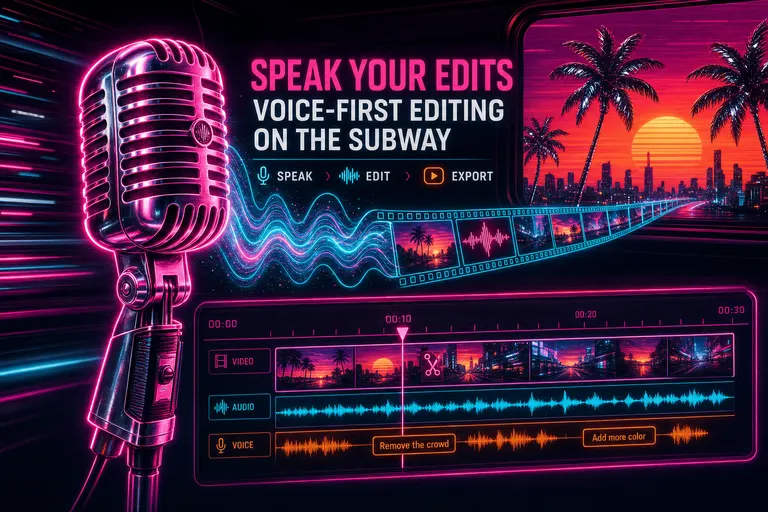
Overview
1. The 6 train at 7:42pm
It's 7:42pm. You're on the 6 train going downtown. You shot four hours of footage at a friend's gallery opening last night. The client wants a ninety-second cut by Friday morning. You're standing because the car is full. One hand on the pole. The other on your phone.
A year ago this is where you would have sighed, opened your notes app, and typed out a list of timestamps to attack later when you got home. Maybe by ten. Maybe by midnight. Maybe never.
You unlock the phone. You open VibeChopper. You hold the mic button down.
"Pull the wide shot of the artist talking to the woman in the red coat. Trim the first six seconds. Cut it after she says the word 'glass.' That's the cold open."
The train rocks. You let go of the button. The transcript appears in the chat input. You glance at it once. You hit send.
By the time the train pulls into Union Square, your cold open is on the timeline.
That's the post.
2. Voice input in the chat — what we actually shipped
Voice input in the AI chat went live in the November 28 wave (commit a075b55 — "Add voice transcription and improve social media sharing"). It rode in next to the natural-language chat panel that we'd shipped a couple of days before. The chat could already cut your timeline if you typed. Now it could cut your timeline if you talked.
Here's what it actually was, end to end. No magic. No fog machine.
The chat input grew a microphone button on its left edge — data-testid="button-voice-transcribe". You press it. Your browser asks for microphone permission once. From that point on, pressing the button starts a recording. Pressing it again stops the recording. Sixty seconds maximum per take (MAX_RECORDING_TIME = 60), because longer than that and you should be writing a brief, not a sentence.
Under the hood, the recording used MediaRecorder with audio/webm;codecs=opus — the same codec Discord and WhatsApp use for voice notes. Echo cancellation, noise suppression, and auto gain control ran on by default, so a noisy subway car wouldn't shred your transcript. The captured chunks got base64-encoded and posted to /api/transcribe — the same pipeline that transcribes your uploaded video audio. Same model family. Same accuracy.
The transcribed text didn't fire off into the void. It landed in your chat input field as plain text, appended to whatever you'd already typed. You got to read it before you sent it. If the train made it garble "trim" into "trip," you fixed the typo with your thumb. If it nailed the take, you sent it as-is.
The recording state lived in a real hook — client/src/hooks/useVoiceInput.ts — with five proper states: idle, recording, transcribing, preview, error. The hook also measured your microphone's audio level via an AnalyserNode at 256-bin FFT, normalized as an RMS value between zero and one, so a future visualization could pulse with your voice. We treated voice the way a real product treats voice — a first-class input channel with its own state machine.
When the recording finished, the button showed a spinner and the text dropped in. Two to four seconds, usually. Less than the time the train spends at a station.
3. Why "talk to your edit" actually works on a phone
Typing on a phone keyboard is fine for a sentence. It is not fine for a director's note. Edit hands-free free
You know the rhythm of a real direction. "Pull the wide shot. Trim the front. Cut after the line about the glass." That's a chain of three commands, twenty-one words, two punctuation marks. On a thumb keyboard you would get the first command out, lose your train of thought, retype "trim" three times because autocorrect insists on "trip," and quit and finish it later.
Out loud it took you eight seconds.
Voice doesn't just save typing time. It saves the thinking you do while you're waiting for your thumbs to catch up. The directing voice in your head moves at full speed. The mic moves at full speed. The keyboard does not.
We watched this in our own use long before it was an article. The team uses VibeChopper to cut its own demos. The single most-used feature on the phone is voice input. Not because it's clever. Because it's faster.
::
4. Voice feedback — talk to the app about the app
In the May 17 sync wave (commit 30331fd), a second voice surface shipped: VoiceFeedbackButton. This one wasn't for editing. This one was for talking to the app, about the app.
It lives as a small floating microphone in the bottom-left corner of every page. You can dismiss it. You can also tap it when you spot a bug, a workflow gap, a thing that should have happened but didn't.
It opens an OpenAI Realtime session over WebRTC — /api/feedback/realtime-transcription — and starts streaming a live transcript in a small chrome-bordered panel above the button. The provider label reads OpenAI Realtime · gpt-realtime-whisper. If WebRTC isn't available — older Safari, locked-down corporate browsers — it falls back to the browser's built-in SpeechRecognition API. Either way, you see your words appear in near-real-time. Final deltas and interim guesses both go to the server as separate transcript chunks via /api/feedback/voice-sessions/<id>/transcript-chunks. The audio itself goes up too, in two-second chunks, to /api/feedback/voice-sessions/<id>/audio-chunks. The little label under the recording button reads REC 12s · audio 6 · text 9 — you can literally watch the count of audio chunks and transcript chunks climbing.
Tap the button a second time and the feedback submits. The system attaches everything around your voice note as well: device fingerprint, browser/OS info, the current URL and a 5,000-character preview of the visible page, your last ten clicks across the app, console logs, the full TanStack Query cache filtered to anything that looks like a timeline or clip or video, and an incident-context snapshot. The little gray box under the live transcript spells this out, in the product, to your face: "Sends transcript deltas as they arrive, mic audio chunks, device fingerprint, browser/OS/device info, current URL and page preview, recent clicked controls, console logs, app state, and timeline context."
No hidden capture. No mystery. You see what's getting sent.
The feedback comes in to us as a bug report with the transcript as its body and a stack of debugging artifacts pinned to it. We don't have to ask "what were you doing?" — we already have your last ten clicks, the query cache around your active timeline, and the exact frame of the app you were looking at.
If the submit hits a snag, the request keeps finishing in the background and the button shows a "Finishing... usually under 10s" message. You can navigate away. Your feedback finishes itself.
5. When voice beats typing
There is a clean rule here. It is not "use voice for everything." Try voice feedback
Voice wins when your hands are busy. Subway pole. Coffee in one hand. Walking the dog. Standing in line at the deli. Loading a dishwasher. Pacing your kitchen while the kettle works. Anything where putting both thumbs on a screen would mean putting down something else.
Voice wins when the command is a sentence. "Cut after she says the word glass." "Pull the wide shot of him laughing." "Use the second take, not the first." These are sentences your brain produces in one breath. Typing them takes four breaths. Speaking them takes one.
Voice wins when you're describing a feeling, not a parameter. "Make this scene feel a little more quiet at the start" is a real directing note. Try typing it on a phone keyboard at 7:42pm on the 6 train. Now try saying it.
Voice wins when you're moving and thinking. The walk-and-talk is a real creative mode. Aaron Sorkin walked his rooms while writing dialogue. You can walk your block while shaping a cut.
::
6. When typing beats voice
There is a clean rule here too.
Typing wins when the command needs precision. A timecode is four numbers and a colon. Saying "zero zero one three colon two seven" out loud is slower than typing 00:13:27 and four times more likely to garble. If you mean an exact frame, type it.
Typing wins when you're in public and the command is sensitive. Reading a client's name out loud on a crowded train is a vibe. Type it.
Typing wins when you need to paste. A URL, a script, a transcript snippet you copied from somewhere else — the keyboard wins, every time.
Typing wins for a brief. A real brief is a paragraph. A paragraph wants to be edited as it's written. A brief is one of the few places where the slow, deliberate friction of typing actually helps you think.
We didn't build voice to replace typing. We built voice so the most-everywhere device you own — the phone in your pocket — could finally hold a director's chair.
7. Three real walk-and-talk edits
Three takes we use ourselves. Each one runs in under fifteen seconds — record, transcribe, send.
The cold open trim. "Pull the wide shot at thirteen seconds. Trim the first six seconds. That's the cold open." The chat takes that as a sequence: locate the clip, trim the head, place it first. By the time you're done speaking, the AI is already working.
The line cut. "Cut the line where he says 'um, you know what I mean.' Just take it out." The transcript is already indexed against the timeline — every word is on a clip. The AI knows where "um, you know what I mean" lives. The clip splits at the word, the dead air drops, the rest closes ranks.
The music drop. "Drop the score around forty seconds in, when she walks into the room. Pull it down by half during her line. Bring it back when she stops talking." Three operations in one breath. The score gets placed, ducked, and un-ducked. Your edit was waiting for you when you got off the train.
You shot it. You described it. It cut itself.
8. The shape of an edit that lives in your pocket
We did not ship voice input because the demo looked cool. We shipped it because the phone is the device you actually have on you, and the keyboard on a phone is a chokepoint for everything you might want to say to your edit.
The 6 train was always going to be downtime. We made it edit time. The dog walk was always going to be reset time. We made it cold-open time. The line at the deli was always going to be dead air. We made it the moment you spotted the line of dialogue that wanted to be cut.
The directing voice in your head is the voice in your phone now. They were always the same voice. We just gave them the same room to talk in.
Press the mic. Say the cut. The timeline listens.
See you on the timeline.
— Gnarles
---
Companion reading: Tell It What You Want. Watch It Cut. covers the typing side of the same chat panel — the directing voice in your head, but through your thumbs. Edit From Your Couch. Or Your Phone. Or Vision Pro. covers what that same edit looks like on the other screens in your life.
Try the workflow
Open every feature from this post in the editor
These panels collect the features discussed above. Sign in once, finish your profile if needed, then the editor opens the first highlighted surface and walks through the tutorial.
Step 1
Edit hands-free
Press the mic. Talk. Watch the transcript drop into your chat input. Hit send when it sounds right.
Edit hands-free free →Step 2
Try voice feedback
Spot a bug or a feature gap mid-edit? Hit the floating mic and tell the app — transcript and context save themselves.
Try voice feedback →