
Overview
A neon-pink wristwatch with chrome hands spinning backward over a glowing magenta timeline, palm-tree silhouettes in the distance
The lost-cut regret
You know the moment.
You had a cut. It was almost there. You thought, one more pass, make it tighter. You trimmed three clips. You swapped a transition. You moved the close-up before the wide. You watched it back.
It was worse.
Not a little worse. The kind of worse where you cannot remember what you changed first, and the undo history of your old editor went back exactly seven steps before it forgot. The clock said 1:47am. The cut from an hour ago lived inside your head only, because the only version on disk was this one.
That regret has a name. I liked the cut from an hour ago better.
For thirty years it was a feeling. You ate it. You started over, or you accepted the worse cut, or you closed the laptop. The tool didn't give you the hour back. The tool didn't even know you had the hour to give.
VibeChopper gave it back. Every thirty seconds, automatically. Every time you wanted to remember a beat, manually. And every time your tab crashed mid-shoot.
This post was about all three.
Autosave snapshots — what they captured
The autosave ran every thirty seconds. That number was the default in server/autosave.ts — intervalMs: 30000. Every half-minute, VibeChopper diffed your current project state against the last snapshot. If anything had changed, it wrote a new one. If nothing had changed, it skipped. Your storage didn't fill up with fifty copies of the same idle timeline.
What the snapshot captured wasn't just the clips. It was the whole project. Every clip with its in-point, out-point, position, and track. Every track and its order. Every transition and its duration. Every overlay, marker, chapter, motion keyframe, clip effect. The narrative framework you'd picked. The whole room.
When the autosave rolled, you got a snapshot of the timeline as it actually was — not a flat summary, not a thumbnail. A full state, restorable.
The system kept up to fifty autosaves per project, rolling, and held them for seven days. Fifty rolling autosaves means roughly twenty-five minutes of half-minute checkpoints if you were continuously editing, longer if you took breaks. Plenty of bread crumbs to walk back through.
The save indicator in the toolbar told you which state you were in. Green cloud, saved. Blue pulsing cloud, saving. Orange cloud, unsaved changes — autosave on its way. Red alert, something went wrong, click to retry. The cloud knew.
Two rails. Same destination. Restore was the same button no matter which rail you came in on.
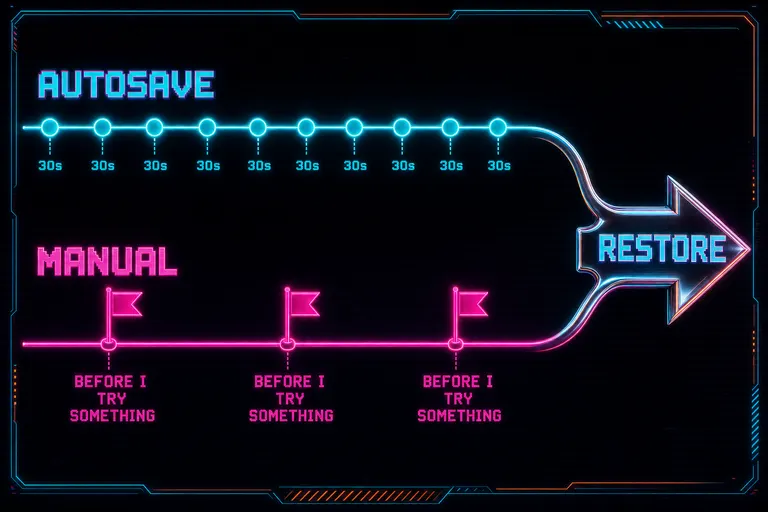
A horizontal diagram with two parallel timelines — autosave dots every thirty seconds in cyan, manual bookmark flags in magenta — both running into a single chrome restore arrow
Manual snapshots — when to drop a flag
Autosave was the safety net. Manual snapshots were the bookmarks you set, on purpose, for the moments worth naming. Roll back to that earlier cut
You hit the manual save button before you tried something. Before I rearrange the act-two scenes. Before the polish pass. Before I show the client. You gave the snapshot a name in plain language — "first cut tightened" or "before story restructure" — and it sat in the snapshot browser with a magenta bookmark icon, separate from the autosaves, easy to find.
A manual save was the same payload as an autosave. Same clips, same tracks, same transitions, same overlays. The differences were the label, the icon, and the intent: you said this moment matters, and the system trusted you.
The rule of the gym applied. Drop a flag before a heavy lift. If you were about to make a change you weren't sure about, the flag cost nothing to plant and saved you the entire walk back if the lift went sideways.
::
The recovery dialog — coming back to where you were
The recovery dialog was the feature you were grateful for the moment you needed it.
You closed the tab. The browser crashed. The kid pulled the power cord. The hotel wifi dropped you mid-render. You came back the next morning, opened the project, and instead of staring at a stale timeline from the last clean save, you saw a dialog: we found a recent autosave that might contain unsaved changes.
It told you when the last autosave landed — 2 minutes ago, 17 minutes ago, whatever the clock said. It told you what was inside — 14 clips, 3 tracks. It told you what changed if it could summarize it. Two buttons. Restore. Keep Current.
You picked. If you'd already started editing on top of the older version, you kept current and it stayed out of your way. If you wanted the unsaved work back, you restored and the timeline rebuilt itself from the recovery point.
The system was honest with you. If there wasn't actually a recovery snapshot to restore from — sometimes there isn't — the dialog said so cleanly. No fake hope. There was a whole test for exactly that behavior (commit 5795f11) because the wrong answer was worse than no answer.
Recovery wasn't a panic button. It was a quiet handshake the morning after. You crashed last night. Here's where you were. Want it back? You said yes or no, and the timeline did the rest.
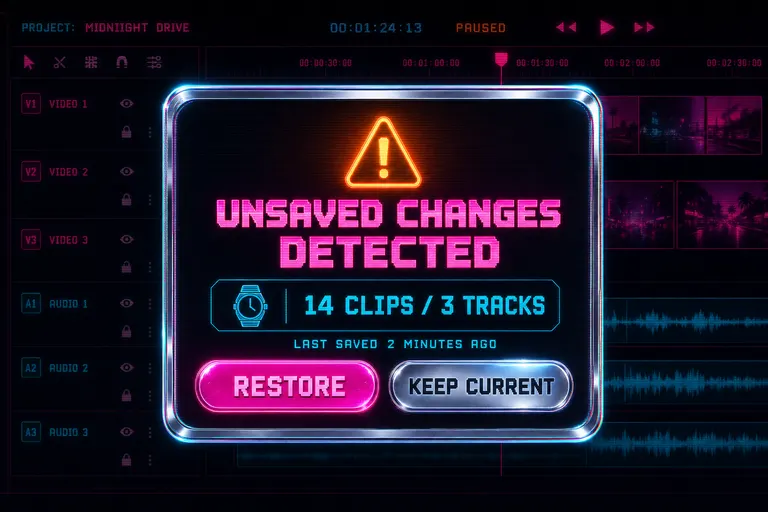
A glowing chrome dialog box hovering over a darkened timeline, the dialog showing a wristwatch icon, a clip count, and two buttons — Restore and Keep Current
The history panel — scrubbing through versions
Snapshots were the big rocks. The history panel was the gravel. Open the history panel
Every edit you made — every trim, split, transition added, clip reordered, motion keyframe set — landed in the edit history. Each entry had an action name, a description, a relative timestamp, and an inverse. The inverse was the part that mattered. It was how the system knew, if you undid this entry, exactly what to reverse: which clip to restore, which transition to delete, which position to move the clip back to.
The history panel sat in a side rail. At the top: an undo button, a redo button, and a count — 12 undo / 3 redo. Below: a scrolling list of every action you'd taken, newest first, magenta dots on the active entries, dimmed on the ones you'd already undone.
You could click any entry to jump to it. Undo to point. Not undo-one-step, undo-one-step, undo-one-step, like Premiere's history palette. Take me back to right after I added the transition between scenes two and three. The system walked backward through every inverse between now and then and landed you exactly where you asked.
Keyboard shortcuts worked the way your hands already knew. Cmd-Z to undo. Cmd-Shift-Z to redo. On Windows: Ctrl-Z, Ctrl-Shift-Z. The keycaps were right there in the panel footer.
Multi-edit operations grouped. If you ran a polish pass that removed eight dead-air gaps in a row, the panel showed it as one group, and one undo press reverted the whole pass. The grouping logic was real — startHistoryGroup and endHistoryGroup in server/editHistory.ts wrapped batched actions under a single group ID.
Snapshots were the room you returned to. History was the steps you took once you got there.
::
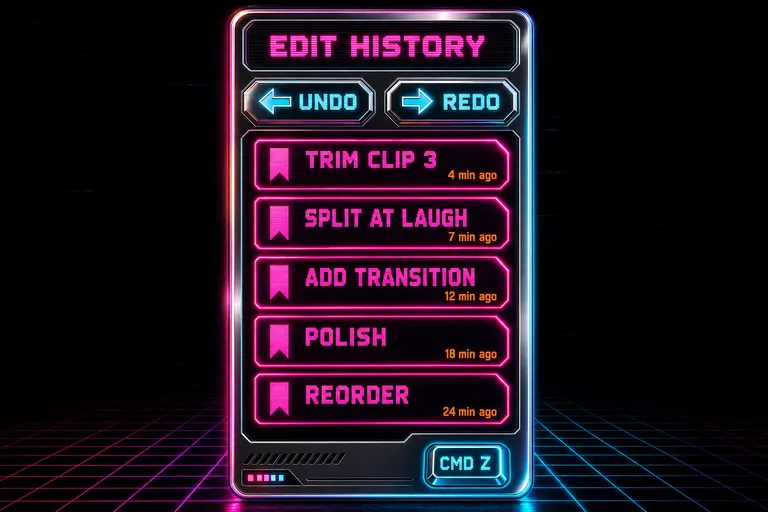
A vertical chrome panel listing edit-history entries as glowing magenta bookmarks, with undo and redo arrows at the top and a Cmd-Z keycap in the corner
Walkthrough — roll back an hour, keep the new cut
Here's how the rollback actually felt. A creator's hour, in past tense, because all of this shipped.
You opened a project that had been live for two hours. The autosave indicator showed saved 14 seconds ago. You'd already dropped three manual snapshots along the way — "raw cut", "first tighten", "before story restructure". The restructure was the one you were second-guessing. You opened the snapshot browser.
The browser had two tabs. Snapshots, listing all three manual saves at the top with their magenta bookmark icons, then the autosaves below in chronological order with cyan cloud icons. History, the edit-action stream, sat next to it.
You clicked "before story restructure". The preview opened — clip count, track count, snapshot creation time, the description you'd typed. You clicked Restore.
Two things happened in the right order. First, the system took a fresh snapshot of where you currently were. Type: recovery. Description: "Pre-restore backup (before restoring to [timestamp])". That snapshot got pinned in the browser so the version you were about to overwrite stayed in the list. Then the restore ran — clips, tracks, transitions, overlays all rewritten from the "before story restructure" payload.
Your timeline rebuilt itself. Clip three was back where you remembered. The wide came before the close-up. The transition you'd swapped was the original two-frame cut again.
You watched it back. It was the cut from before, exactly. You smiled.
Then you noticed two things you'd changed after the restructure that you actually wanted to keep — a music swap, and a lower-third on the founder. You opened the snapshot browser, clicked the recovery snapshot the system had auto-created when you rolled back, and restored to it. Now you were on the post-restructure version. You opened the history panel, scrolled to the entry labeled "set act" — the restructure action — and clicked undo to point.
Everything after the restructure stayed. The restructure itself reversed. The music swap survived. The lower-third survived. The bad reorder was gone.
That maneuver was a triple-axel five years ago. It was three clicks now.
You finished the cut. You saved a manual snapshot called "final". You closed the laptop. The 1:47am regret didn't come.
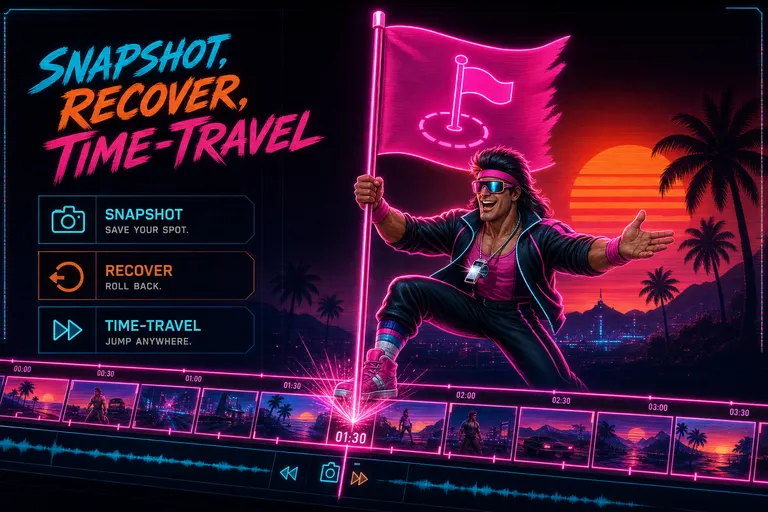
Gnarles Chopper planting a glowing magenta flag into a stretching neon timeline, smiling, chrome whistle catching the light
The next rep
Every editor before this one made you choose. Either you remembered to save constantly and crowded your folder with final_v3_actual_FINAL.mov, or you didn't, and the regret came. VibeChopper got rid of the choice. The snapshots happened. The history wrote itself. The recovery dialog watched the door.
Your job was to direct the cut. The tool's job was to remember every version of the cut you ever made, so you never had to.
If the AI chat was where you told the timeline what to do, the snapshot browser was where you told the timeline what to go back to. Both ran on the same idea — the directing voice in your head was the part of you the tool should serve.
And if you ever wanted to know why the AI made a cut you weren't sure about, a different panel had the receipts — which clip got touched, what the model saw, what it decided. Snapshots showed you where you were. The tool-events panel showed you why it moved.
Together they made the second-guessing fast.
Drop a flag before a heavy lift. Trust the autosave to catch what you forget. Open the history panel when you want to walk back step by step. Hit restore when you want to teleport.
The cut from an hour ago wasn't a regret anymore. It was a place. You could go back there. And when you came back, you brought what you learned with you.
See you on the timeline.
— Gnarles
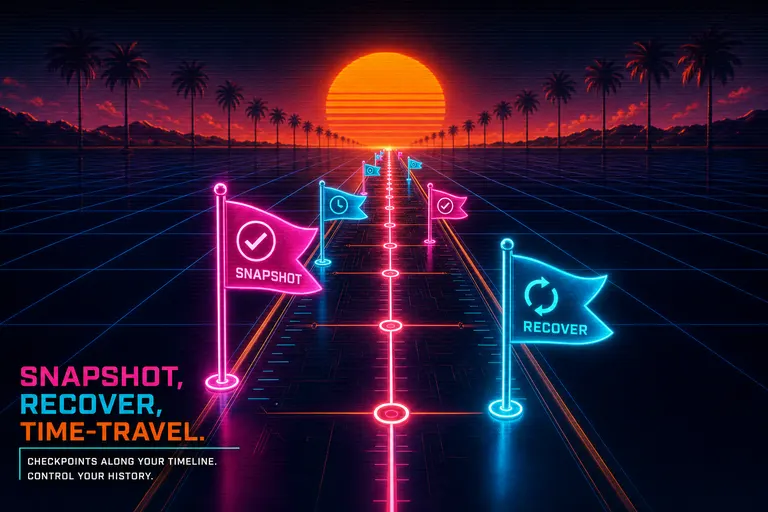
A row of glowing magenta and cyan checkpoint flags planted along a long neon timeline stretching into a chrome sunset
Try the workflow
Open every feature from this post in the editor
These panels collect the features discussed above. Sign in once, finish your profile if needed, then the editor opens the first highlighted surface and walks through the tutorial.
Step 1
Roll back to that earlier cut
Open the snapshot browser, pick a moment, restore the timeline. The current cut gets saved before the rollback so nothing's lost.
Roll back to that earlier cut →Step 2
Open the history panel
Every action you took, listed in order. Jump to any of them. Undo isn't a key, it's a place.
Open the history panel →