
Overview
Before we start, a confession. Descript invented something real.
The first time you opened a video file in Descript and saw a transcript instead of a waveform, you felt the floor shift. You'd been editing video like a butcher for a decade — scrubbing, marking, razoring. Then someone showed you that you could delete a word and the video would shorten by exactly that long. Word goes. Frames go. The cut closes itself. That wasn't a feature. That was a new shape of editing.
We owe Descript credit for that shape. Everyone who has built a text-driven editor since is standing in the room they built.
This post is not "switch to us." It's honest. Here's where Descript still wins. Here's where its model hits a ceiling. And here's where chat-driven editing picks up.
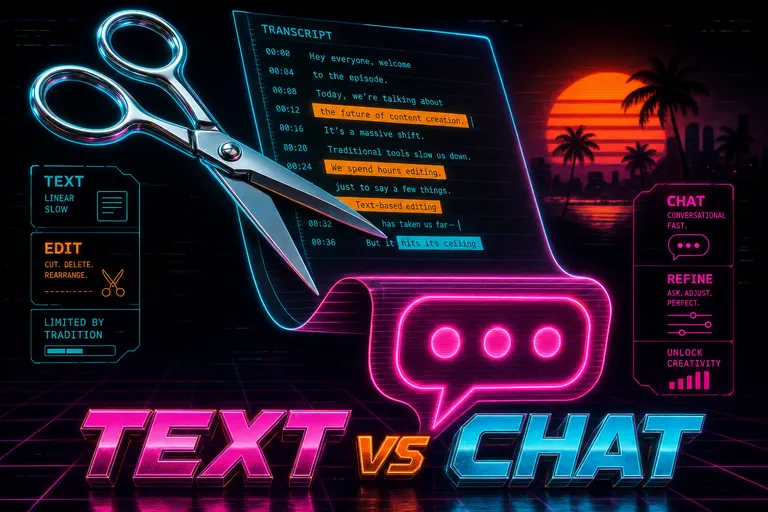
A chrome pair of editing scissors hovering over a glowing transcript document, the document folding into a magenta chat bubble at the bottom of the frame
1. What Descript got right (transcript as primary interface)
Descript's bet, from day one: the most common edit a human wants to make on spoken-word video is to a word. Remove an "um." Cut a tangent. Move a sentence. Replace a fluffed line. If that's true — and for a huge slice of creators it is — then the transcript is the correct primary surface.
Everything about Descript is downstream of that insight.
You open a video. The app transcribes the audio. You see a script-like document. You delete a word. The video shortens. You highlight a paragraph and cut. The video shortens more. You drag a sentence to the top. The video rearranges. Descript's own docs describe it as "multitrack audio editing, just like editing text".
On top of that surface, they layered the toolkit a podcast or talking-head creator needs:
- Overdub / AI Speech: clone your voice once, type new words, have your voice say them. A "fix a flubbed line in post" superpower.
- Studio Sound: one-click AI cleanup for room tone, reverb, mic noise.
- Eye Contact: AI adjusts your gaze so you look at camera even when reading off a script.
- Screen Recording, auto-captions, filler-word removal, green screen: the standard short-form toolkit.
- Underlord: the agentic AI co-editor that ships rough cuts, applies effects, and styles visuals from a single prompt. The model picker lets you pick Claude Sonnet 4.5 or Gemini 3 as the brain.
The pricing, verified on descript.com/pricing at time of writing, sits in four tiers:
- Free — $0, 60 minutes of media/month, 100 one-time AI credits, 720p with watermark, limited Underlord.
- Hobbyist — $24/mo ($16 annual), 10 hours of media, 400 AI credits, 1080p watermark-free.
- Creator — $35/mo ($24 annual), 30 hours of media (plus 5 bonus), 800 AI credits, 4K export, full Underlord.
- Business — $65/mo ($50 annual), 40 hours of media, 1500 AI credits, Brand Studio, translation/dubbing in 30+ languages, custom avatars.
Note what it is and isn't. It's a transcript-first editor that has steadily grown a real AI agent on top of itself. It is not — and was never trying to be — a chat-driven timeline. The text document is still home base. Underlord runs commands into that document and its associated timeline.
That distinction is going to do a lot of work in the rest of this post.
2. Where transcript editing wins
Here's the honest part. There are categories of edit where Descript is faster than us, faster than Premiere, faster than CapCut, faster than anyone. The transcript is the right interface for these jobs.
Podcasts. Two- to four-person dialogue, an hour long, recorded clean. The edit is almost entirely "trim the dead pockets, kill the repeats, cut the tangent that went nowhere, lift the part where Greg said the thing better the second time." Every decision maps to a word on a page. We've watched podcast editors cut a 90-minute show down to 45 in about 45 minutes inside Descript. That is a real bar.
Talking-head videos. YouTube essayists, founders shooting Loom-style pieces, course creators recording one-take lectures. The script is the structure, and trimming the script is trimming the cut.
Interviews. Find the three or four moments worth keeping, drag them next to each other, tighten the questions around them. Descript's drag-paragraph-in-the-doc behavior is exactly that.
Audio-only edits. Multitrack audio in a transcript view is the right shape. There is no "I want this to land on the beat at 0:14" — the structure is dialogue, and dialogue is text.
Filler removal and "um" sweeps. One click, hundreds of dead syllables gone. Descript has been doing this longer than most of us.
If you mostly do those things, Descript is probably your tool. The interesting question is what happens when your edit isn't one of them.
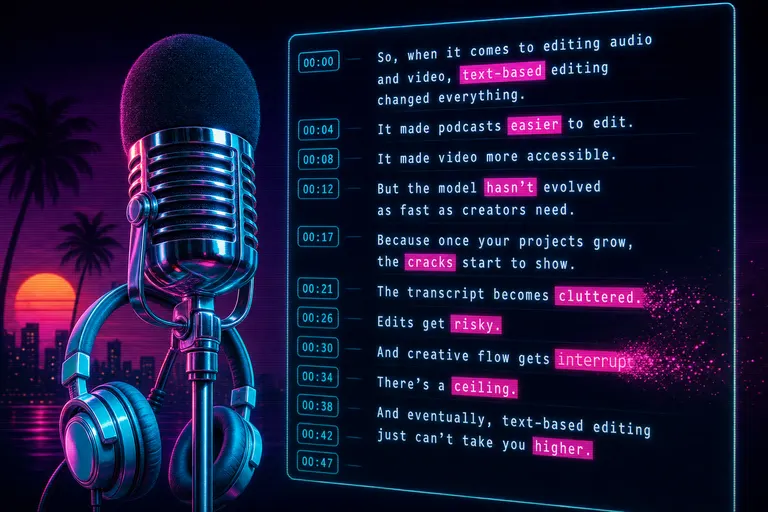
A retro chrome podcast microphone in front of a glowing transcript with words being highlighted and deleted like text in a document
3. Where transcript editing stalls
Take a real edit. A documentary filmmaker, 12-minute cut, wanted the middle three minutes to feel anxious.
"Feel anxious" is not a word she wanted deleted. It's not even a clip she wanted swapped. It was a direction. Something a director gives to an editor across a console — tighten everything, drop a pulse under the dialogue, shorten the held shots, cut the breaths out of the questions, ramp the close-up before the answer. Five operations, all about pacing and shot length, none of them inside a single word of the transcript.
She tried in Descript. Highlighted paragraphs, asked the AI to "make these tighter." The AI deleted filler words. That's not anxious. That's just tight. She tried Underlord with "make this feel more tense." Underlord, which can absolutely do real editing work from a prompt, interpreted the prompt against the transcript. The result was tighter dialogue. The pacing — held shots, silences before answers, music underneath — sat exactly where it had before.
The ceiling she hit wasn't an AI quality ceiling. It was an interface ceiling. The transcript is a script-shaped surface. Anything that doesn't map cleanly to a word on the page has to be done through a different panel, a different mode, or by escaping back to the timeline.
What doesn't map well to the transcript:
- Pacing across clips. "Tighten this section by 15%." Some of that is dialogue trims, some is shortening held shots, some is dropping breaths. Transcript can do the first one.
- Mood and rhythm directions. "Make this feel anxious." "Give the cold open more swagger." "Land the third act soft." They live in shot length, ramp speed, music, and silence — not words.
- Score by feel. "Bring the music in two seconds before the question and fade it under the answer." Five timeline actions that have nothing to do with the transcript.
- B-roll between sentences. "Hold three seconds of city b-roll and start the next thought over the wide shot." Possible, but not native to the doc.
- Structural rearrangement that isn't paragraph-shaped. "Open with the laugh from 0:48." A laugh isn't a paragraph.
- Cinematic time bending. Speed ramps, slow-mo holds, freeze frames on punchlines. Pure feel.
This isn't a knock. A scalpel is a great scalpel. It is also not a paintbrush.
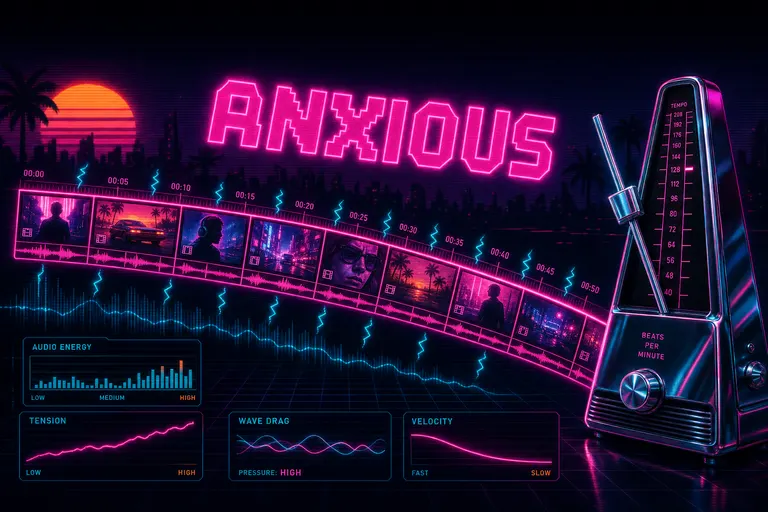
A glowing timeline of clips bending and slowing as if pulled by a wave, with the word ANXIOUS hovering over the curve in magenta neon
4. The chat-driven alternative
We built VibeChopper around a different bet: the most common edit a human wants to make is a direction, not a word. Cut the first five seconds so we land on her face. Tighten this middle section. Drop a lower-third on the founder. Cross-dissolve between scenes 4 and 5. Score this with something tense. Polish the dead air. Try chat-driven editing
If you treat the direction as the unit of editing, the surface stops being a transcript and starts being a chat. You type or speak what you want the cut to be. The AI reads your project — every frame description, every transcript line, every clip on the timeline — and cuts. The clip moves. The transition appears. The lower-third lands on the beat. The ramp flexes from 100% to 30% over two seconds. The score fades in two seconds before the question.
The same documentary creator, on VibeChopper, typed: Make 0:12 to 0:38 feel anxious. Tighten breaths, hold less, ramp the close-up before the answer. The chat returned a plan, executed it, and showed its work — every clip touched, every ramp set, every frame pulled. She rejected one of the ramps. She typed make the ramp shorter, half a second. The chat re-ran. About two minutes total.
That's the difference. Not "AI is better than transcripts." Underlord is great. The interface is different. We treat editing as a conversation about feeling and pacing. Descript treats editing as a manipulation of words and clips. Both are real. They overlap in the middle and peel apart at the edges.
What VibeChopper does that maps to the gap:
- Mood-and-pace directives. Parsed against clip length, ramp curves, score timing, silence padding.
- AI rough cut from a brief. Drop a paragraph describing the video you want. We score clips against the brief and assemble a first draft.
- Show-its-work tool events. Every edit lands as a tool call with a receipt: clip, in/out, reason. You can reject the receipt, not just the cut.
- Voice-input edits. Walk-and-talk your edit. Your phone listens. The chat fills.
- Multi-track timeline that obeys natural language. "Add a lower-third on the founder for four seconds." "Kill the music under the question." It does that.
- AI-generated overlays, voiceover, and music described in plain language and dropped on the timeline.
::
We are not better than Descript at transcript editing. Descript spent a decade on that shape and they win it. We are better at the kind of edit that lives between the words.
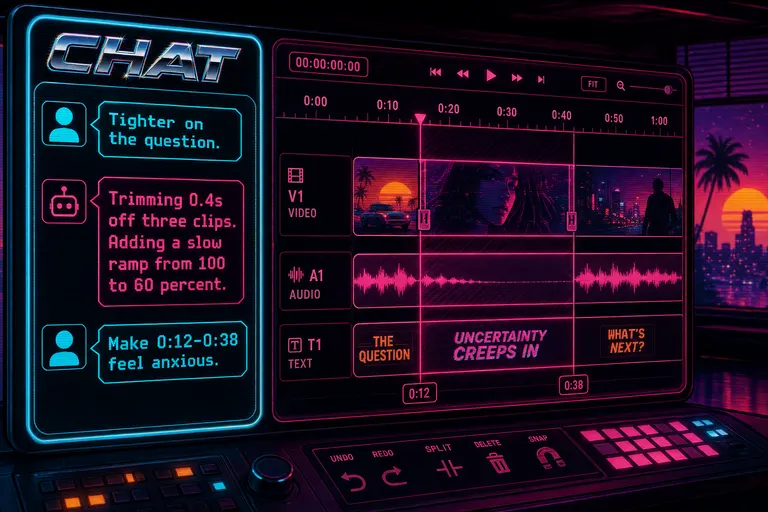
A stylized mock of the VibeChopper chat panel beside a timeline, with the chat showing a typed prompt about making a section feel anxious
5. Side-by-side feature comparison
Real numbers and capabilities, verified from each tool's public materials at time of writing. We tried to be fair. Where Descript wins a row, Descript wins a row.
| Capability | Descript | VibeChopper | |---|---|---| | Transcript-as-primary-editor | Yes — invented this shape | Transcript is available; chat is primary | | Multitrack audio editing in transcript | Yes | No — multitrack lives on the timeline | | AI agent that runs edits from a prompt | Underlord (Claude Sonnet 4.5 / Gemini 3 picker) | Chat-driven harness with show-its-work receipts | | Mood / pacing directives ("make this feel anxious") | Limited — AI re-interprets against transcript | First-class — parsed against clip length, ramps, score | | AI voice clone / overdub of your own voice | Yes — Overdub | TTS only (not your cloned voice) | | AI-generated voiceover from text | Yes | Yes — tts-1-hd | | AI-generated B-roll from a prompt | Yes | Yes — overlay generation via gpt-image-1 | | AI music scoring | Music library | Yes — chat-driven score additions | | Eye-contact gaze correction | Yes | No | | Studio Sound / noise removal | Yes | Cleanup pass available via polish | | Screen recording inside the app | Yes | No (mobile + web capture only) | | Translation / dubbing (30+ languages) | Business tier only | No | | Speed ramps, slip, slide, motion keyframes | Limited timeline edits | Yes — chat-driven and direct manipulation | | Frame-level visual search ("find her laughing") | No — transcript search only | Yes — every 0.5s described, search by description | | Voice input for edits | No | Yes — voice in the chat | | Free tier media | 60 min/month | Free tier with project limits | | Entry paid tier | $16/mo annual (Hobbyist) | TBD — see pricing | | Most popular paid tier | $24/mo annual (Creator) | TBD — see pricing | | Export | 4K on Creator+ | MP4, FCPXML, EDL, WebM |
A few rows worth pulling out.
Overdub is not a thing we have. If your edit depends on cloning your own voice to fix flubs in post, Descript has that and we don't. That's a real reason to stay there.
Frame-level visual search is ours. Every 0.5 seconds of your footage gets a description from a vision model. Type her laughing in the white shirt and we find the frame. The transcript catches words; frame search catches pictures. For a documentary creator with seven hours of B-roll, this is a 45-minute hunt or a five-second one.
Eye Contact and Studio Sound are theirs. If you talk to camera off a script for a living, those features change your output quality on the day. We don't have either.
Mood directives are ours. The chat parses against pacing, ramps, score timing, silence. The transcript can't get there from where it sits.
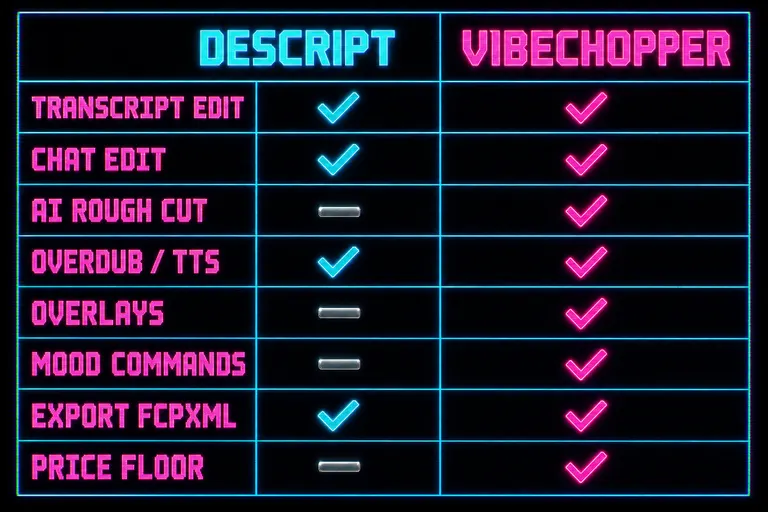
A two-column feature comparison matrix labeled DESCRIPT on the left and VIBECHOPPER on the right, with eight rows of glowing check marks and dashes
6. The honest "use both" workflow
We promised this post wouldn't land on "switch to us." Here's what we think you should do. Open VibeChopper alongside Descript
If your edit lives in the words — podcasts, talking-head videos, interviews — stay in Descript. Their tool is the right shape for your job. Underlord is genuinely useful as the agent layer on top of the script-shaped surface.
If your edit lives in the feeling — documentaries, narrative shorts, brand films, music-driven pieces — try chat-driven editing. Directives that didn't fit through a transcript land here. Pacing responds to language. Music moves with dialogue.
If you make both, like most creators we know — long-form talking-head on Monday, mood-driven Reels on Tuesday — use both, on purpose. Editors used to keep three apps open at once. They still can.
A workflow we've watched land:
1. Record and transcribe in Descript. Let it clean the fillers, mark the tangents, produce a tight first pass of what was said. 2. Export the audio and a timed transcript. 3. Bring the audio and B-roll into VibeChopper when the next edit is about feeling — score timing, ramps, lower-thirds, mood, b-roll insertion against frame search. 4. Round-trip via FCPXML or EDL if finishing lives in Premiere or Resolve.
That's not us being polite. That's the shape of working creators we talk to. Descript is good at one half of the job. We're good at the other half. The argument that you have to live in one app is a tool-marketing argument, not a creator-workflow argument.
::
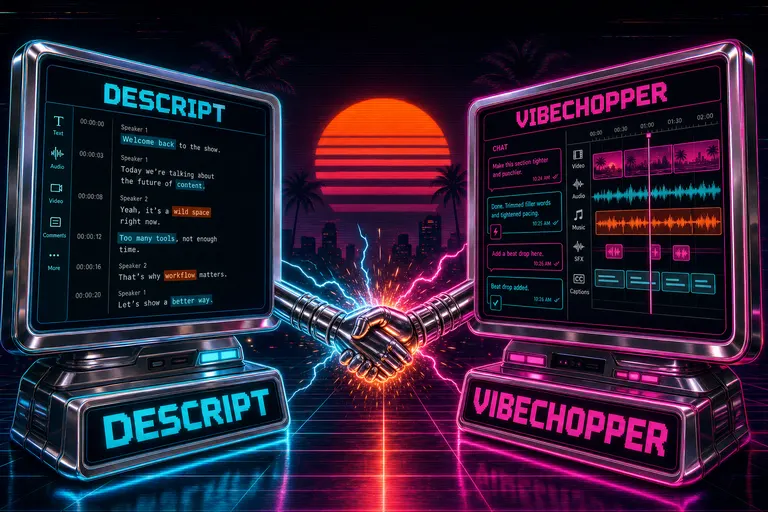
A chrome split-screen with a transcript editor on the left and a chat-driven timeline on the right, joined by a glowing handshake of cables
7. Migration tips (when you do bring some of your work over)
You don't have to migrate to try this. But if you want a clean way to start, here's the small set of moves that work.
Move one piece, not your whole studio. Pick the next project that is not dialogue-as-structure. A travel reel. A brand film. A short doc. Something you'd describe to a friend as a feeling. Try the chat-driven flow there. Leave the podcasts where they are.
Export your media cleanly out of Descript. Pull source clips, audio, captions, cleaned tracks. Descript's media export is mature.
Reset your editing language. You'll type delete word into our chat for the first hour. That works — we support it. The larger gain is in directives: land the third act soft, tighten the middle, make the cold open punchier. You'll feel that gain in the second project, not the first.
Keep your voice clone where it is. Overdub is Descript-only and worth keeping there. Move the edits that don't need your voice clone.
Use the show-its-work panel. Every chat-driven edit lands as a tool event with a receipt. Reject any single edit without rejecting the rest. That's how you'll start to trust the chat.
Save snapshots before any big mood directive. Both tools version. We support rolling back at any time. Build the habit anyway.
Round-trip via FCPXML or EDL if the finish lives in DaVinci or Premiere. Both apps leave clean structure.
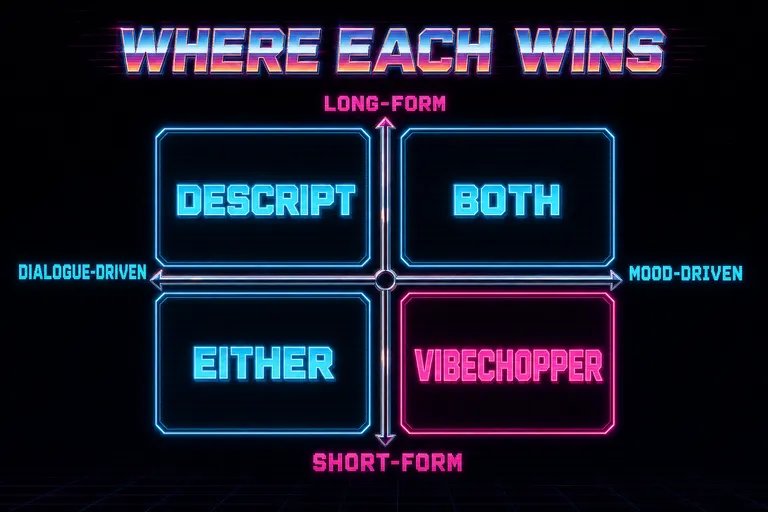
A four-quadrant diagram labeled WHERE EACH WINS with DESCRIPT and VIBECHOPPER occupying different quadrants based on dialogue-driven versus mood-driven and short versus long
Where this lands
Descript invented transcript-as-interface, and it's still the right interface for every kind of editing where the words are the structure. We wrote this post in the room they built.
VibeChopper is the interface for the other category — where the feeling is the structure. Where you wanted to tell an editor "make this section feel anxious" and not draft an essay about syllable-level deletions to get there.
You don't have to pick. Keep the transcript editor for the script-shaped edits. Bring chat-driven editing in for the feel-shaped ones. The sunset is wide enough for two timelines.
Cross-train on both. Get the reps on the surface that fits the cut. That's the move.
See you on the timeline.
— Gnarles
---
Related reading: Tell It What You Want. Watch It Cut. — the founding feature post on chat-driven editing. Adobe Premiere Pro vs the Rest in 2026 — the bigger comparison story. The Best AI Tools for Video Creators in 2026 (Tested by Someone Who Built One) — the honest, self-disclosed roundup.
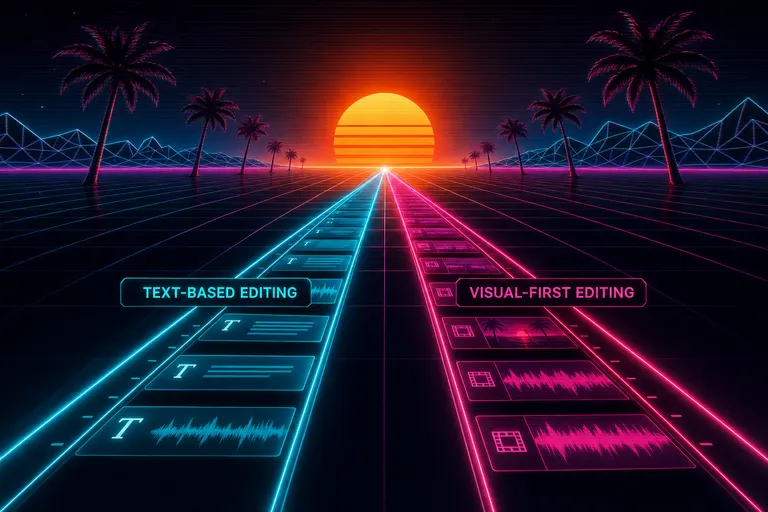
Two parallel timelines stretching toward a single sunset over a grid floor with palm trees, one timeline glowing cyan and one glowing magenta
Try the workflow
Open every feature from this post in the editor
These panels collect the features discussed above. Sign in once, finish your profile if needed, then the editor opens the first highlighted surface and walks through the tutorial.