
Overview
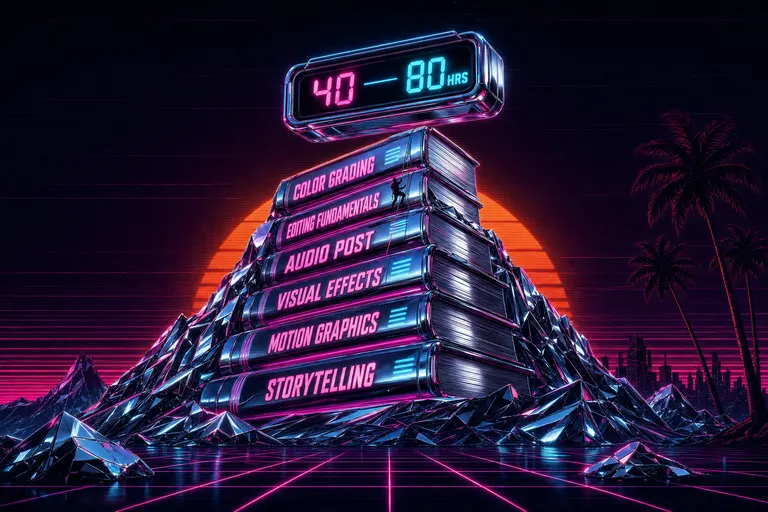
A chrome mountain shaped like a stack of training books with a neon timer counting hours at its peak, magenta scanlines across a deep VHS-black sky
The "Resolve is free" myth — and what "free" actually costs
Every comment thread under every "what editor should I use" video has the same reply.
Just use Resolve. It's free.
It is. That part is true. The free version of DaVinci Resolve does not nag you. It does not stamp a watermark. It does not lock you out at the end of a trial. You grade, cut, mix, and deliver in 4K, all the way out the door, for zero dollars. The Studio upgrade is a one-time $295 — no subscription, no monthly bleed. Compared to Premiere's $34.49/month tier or CapCut Pro's $19.99 after the January 2026 hike, the math looks unbeatable.
The math looks unbeatable until you count what nobody puts in the spreadsheet.
Resolve is not free. Resolve is un-priced. The cost is paid in hours — your hours — and the bill comes due before you ship a single cut. Blackmagic's own training portal lists six official training books and seventeen-plus video modules on the training page. Six books. To learn one editor. There are 250 certified trainers and 100 training centers worldwide. Resolve has a certification exam. That's not a tool. That's a curriculum.
Most creators won't pay $34.49 a month. Most creators will happily pay forty hours of their life. They just won't see the receipt.
This post is the receipt. I respect Resolve. I respect the colorist community that built around it. I'll tell you exactly who should download it tonight and exactly who should close the browser tab.
What Resolve does that nobody else does
Let me say the warm part out loud first.
Resolve is the only consumer-priced editor on earth that ships with a post-house. That's not marketing language — that's the product. Blackmagic split the app into seven workspace pages: Media, Cut, Edit, Fusion, Color, Fairlight, Deliver. Each one is a different department in a Hollywood pipeline. Each one runs on the same project file. You grade a feature, composite a node-based VFX shot, mix a 5.1 stem, and deliver — without opening a second app.
The Color page is the headline act. Blackmagic builds the color panels and cinema cameras that real colorists use on Deadpool, Dune, episodic television. The same YRGB color science, the same 32-bit float pipeline, the same node graph — all of it sits inside the free download. Nothing else at the consumer tier ships this. Premiere's Lumetri is good. Final Cut's color is good. Resolve's Color page is the industry.
Fusion is the other one. Node-based compositing — the same paradigm Nuke uses in film VFX — is built into the Fusion page. If you cut a music video with rotoscoped neon outlines and a comped sky, Fusion will do it without an After Effects subscription. After Effects was the gym you joined and never went back to. Fusion is the gym Resolve put inside the editor for free.
The colorists I know will fight you over Resolve, and they're right. For their work, nothing else competes. Indie feature filmmakers, music-video directors with node-comps, episodic colorists matching shots across a season — they should use Resolve. They should use it for the reason it was built: keep the post-house under one roof.
The trouble starts when that pitch gets repeated, comment-thread-by-comment-thread, to the creator shipping three Reels a week.
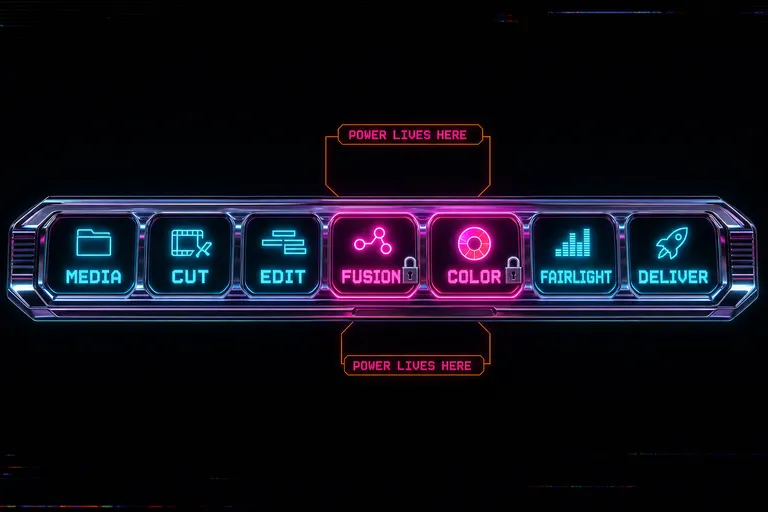
A stylized mock of DaVinci Resolve's bottom page tabs — Media, Cut, Edit, Fusion, Color, Fairlight, Deliver — glowing in chrome with each tab labeled
The 40-80 hour learning tax
Here's the part everybody under-counts.
Resolve's interface is not hard in the sense of broken. It's deep in the sense that there's a separate full application behind each page tab. The Cut page is beginner-shaped — Blackmagic designed it as the on-ramp, and you can be functional on the Cut page in about 2.5 hours. That's the friendly door. Walk through it and the building doesn't end. The Edit page adds a second mental model on top of the Cut one. Color adds a third. Fusion adds a fourth — node graphs, which is a different mental model entirely, not just another panel. Fairlight is a fifth.
The Miracamp learning-curve guide, written by working Resolve trainers, lays out the realistic progression: 1–2 weeks for basic editing, 1–2 months for color and audio comfort, and 3–6 months for full professional workflow mastery. For freelancers, Miracamp's job-readiness guide puts the bar at around 2–3 months of focused study to be hireable. The Reduct comparison piece is blunter: Resolve is not ideal for amateur editors because of an intimidating user interface and advanced features that create barriers to entry.
Translate weeks into hours of practice and you land somewhere between forty and eighty hours before the app feels like yours. Not before you can click a button — before the muscle memory closes and the tool gets out of the way. Forty hours is a workweek. Eighty is two. Two workweeks of training, paid for entirely by you, before your first real edit ships.
For some people, those hours are an investment that recoups across a career. For others, eighty hours are the entire feature film of their year — the time they were going to use to ship twenty Reels, write a screenplay, learn lighting, sleep, or be present for their kid's first soccer game. Burnout isn't a character flaw. It's a tool problem. Eighty hours of learning tax is the most expensive tool problem on this list.
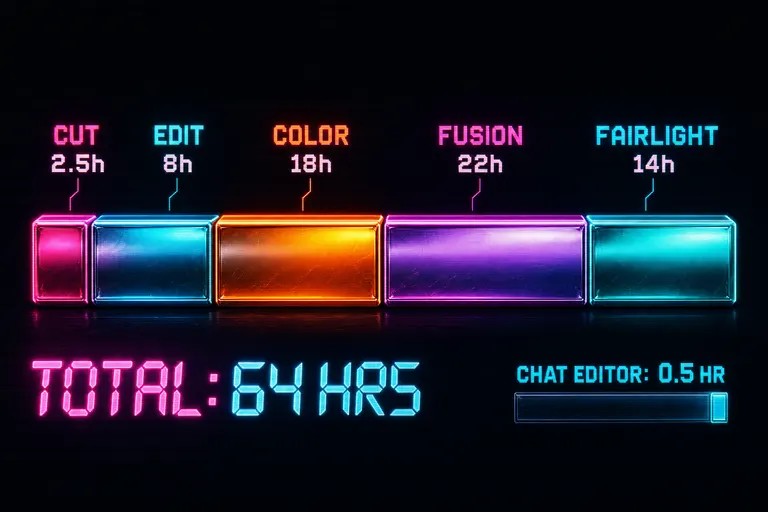
A horizontal stacked bar diagram visualizing the hidden hour cost of learning Resolve across five pages — Cut, Edit, Color, Fusion, Fairlight
Who Resolve is right for
This is where the post stops being a takedown and starts being a map. Try a tool that doesn't make you learn it
Resolve is unambiguously the right tool if any of these describe you:
You are a colorist or you want to become one. The Color page is the industry. Nothing else in this price range — or at five times this price — will teach you the craft in the room the craft is practiced. Download Resolve tonight. Open the Color page first. Buy the Colorist Guide from the training page and read it cover to cover. Those eighty hours are your career.
You are cutting an indie feature, a short, or a doc with a real grading pass. A 90-minute project with twenty conformed scenes needs a tool that holds the whole pipeline. Resolve gives you Cut for assembly, Edit for refinement, Color for the look, Fusion for the title-sequence comp, Fairlight for the mix, Deliver for the master — all on the same file. No round-tripping. No XML export to a separate grading app. For a feature, those eighty hours pay back in the first week of the grade.
You are shooting RAW with Blackmagic Pocket or BMD cinema cameras. The pipeline is built for you. Resolve reads Blackmagic RAW natively, the color science matches, and the Studio noise reduction is tuned for the sensor. If you're already in the ecosystem, you're already in Resolve.
You are cutting music videos with stylized comps. Fusion's node graph beats anything in this price tier for rotoscoped looks, comped backgrounds, particles, and motion graphics that feel like a music video.
You are doing serious audio post. Fairlight is a real DAW. Not a "video editor's audio tab." A real DAW, with real mixing tools, loudness normalization, and ADR support. If your show has dialog editing and a mix, Fairlight is doing work your video editor isn't.
For every creator above, Resolve is the correct answer to "what editor should I use." Not because it's free — because it's the right shape for the work.
::
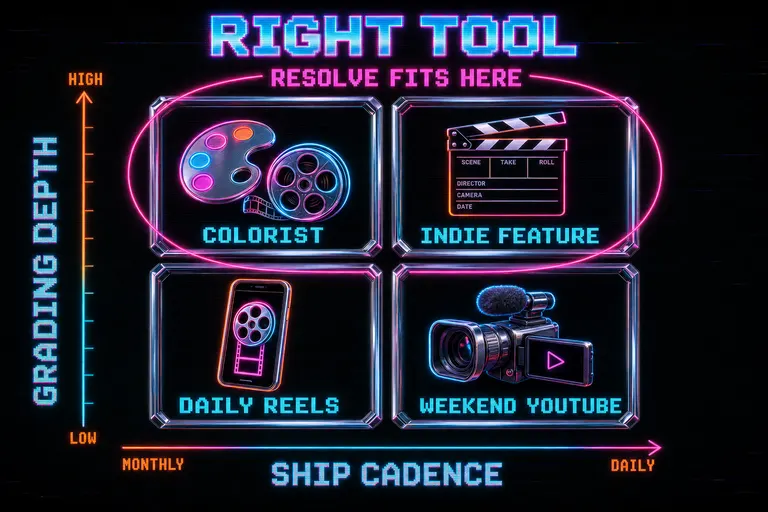
A two-by-two matrix labeled 'RIGHT TOOL' with chrome panels for colorist, indie feature, daily Reels creator, and weekend YouTuber
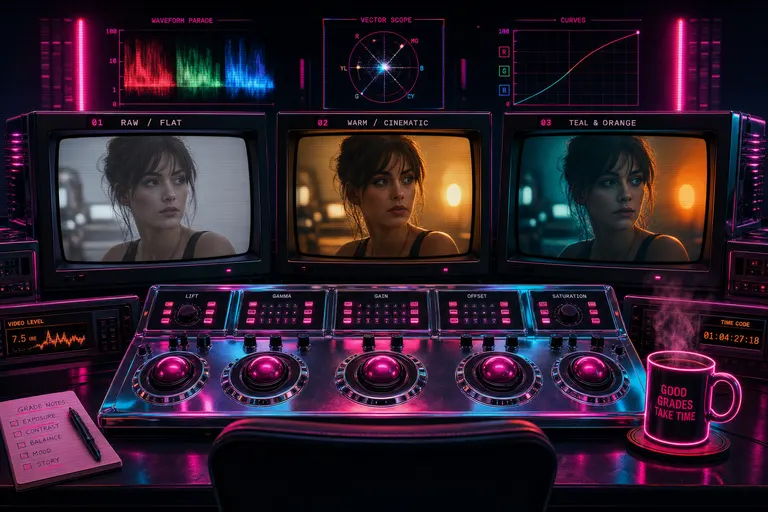
A colorist's suite with a chrome control surface, three CRTs showing a single frame in different grades, and a coffee cup glowing neon
Who Resolve is wrong for
This is the section that costs me friends. Open VibeChopper free
Resolve is the wrong tool if you ship faster than the learning curve. The math is simple: if you post more than one cut a week, the time you'd spend learning Resolve is bigger than the time you'd save by knowing it. The tool will not pay you back.
If any of these describe you, close the Blackmagic download tab tonight:
You ship three Reels a week. Reels are 9-to-90-second cuts. They live and die on pacing, captions, on-screen text, and a hook in the first 1.5 seconds. They do not live on a node-based comp or a 32-bit float color pipeline. They live on speed-of-iteration. Resolve's eighty-hour ramp is bigger than the entire production cost of your next quarter of Reels.
You shoot on a phone. iPhone footage is great footage. It does not need YRGB float-space grading to look good. It needs a tighter cut, better captions, a beat-matched score, and a clean export. None of those tasks live in the Color page or Fusion.
You're a YouTuber doing talking-head, vlogs, or tutorials. Talking-head video lives on jump cuts, B-roll, lower-thirds, and a clean dialog mix. A grade you build by typing "make this warmer" gets you 90% of the way to a YouTube-ready look in eight seconds. Resolve gets you 99% in eighty hours. The marginal nine percent is not what your audience cares about. They care whether you uploaded this week.
You're a podcaster doing video cuts. Podcasts need diarized transcripts, dead-air removal, multicam switching, and clean audio. They need a chat that knows what each speaker said. They do not need Fairlight's full mixing suite for a two-mic Riverside recording.
You bounce between mobile and desktop. Resolve is desktop-only. No iOS app. No iPad app. No edit-on-the-train-home version. If your life looks like "shoot on phone, draft in the cafe, finish at home," the Color page can't follow you out the door. A browser-and-mobile editor can.
The pattern is the same in every bullet. The work doesn't need what Resolve uniquely provides. The work needs speed of iteration. Resolve charges eighty hours of learning to do work that doesn't use the eighty hours.
::

A creator on a couch at 11pm with a phone in one hand and a half-eaten sandwich in the other, the phone screen glowing with a chat editor
The "I keep meaning to learn it" trap
This is the part I want you to be honest with yourself about.
You have downloaded Resolve. Maybe twice. Maybe three times. You watched the first ten minutes of a YouTube tutorial. You opened the Cut page. It looked promising. You opened the Edit page. You saw the bottom row of tabs — Media, Cut, Edit, Fusion, Color, Fairlight, Deliver — and you closed the window. I'll get to it this weekend. You did not.
That cycle is a tax of its own. Every time the install bar fills and the dock icon appears, you spend a little willpower. Every time you close the app without shipping, you spend more. Six months later, the Resolve icon is a small dusty monument on your dock to a version of you that was going to be a colorist. You are a creator. Both are honorable jobs. They are different jobs.
I'm not telling you that you can't learn Resolve. You can. The training is excellent. Blackmagic gives away the books and the certification and most of the video curriculum. The 250 certified trainers exist for a reason — there is a real path through that mountain, and people walk it every year.
I'm telling you that "someday I'll learn it" is not learning it. It's the most expensive way to not-learn a tool, because every cycle costs the time you would have spent shipping in the tool you already know. The honest version of "I'll learn Resolve this weekend" is usually "I'm not going to learn Resolve, and I'm also not going to ship the cut I had time to make."
Two outcomes, both real:
Option A — commit. Block eighty hours on your calendar across the next two months. Buy the Beginner's Guide. Work the Cut page, then the Edit page, then start on Color when the first two are muscle memory. Don't skip Fusion or Fairlight — they're the reason you picked Resolve. The eighty hours will compound.
Option B — let it go. Uninstall it. Take the dock icon off the dock. Stop scrolling tutorial videos. Pick the tool whose ramp matches your cadence — iMovie if you're just leaving the trial wheels behind, a chat-driven editor if your cuts live in your head and just need to land on the timeline, a transcript editor if your work is talking-head. None of those tools will make you a colorist. None of them claim to. They'll let you ship the cut you wanted this week.
The trap is the third option — "maintain the intention without doing either." That charges you the worst of both choices. You feel the guilt of the un-learned tool and the friction of the wrong tool. The trap is paid in mornings you don't open the editor because you remember you "should" be using a different one.
You shot it. You described it. The cut is already in your head. Pick the tool that lets the cut out of your head. If that tool is Resolve, commit. If it isn't, let it go.
Trim the first five seconds. Let the rest breathe. The next rep is the one that counts.
— Gnarles
---
Sources cited in this post
- DaVinci Resolve product page — https://www.blackmagicdesign.com/products/davinciresolve/
- DaVinci Resolve training (books, videos, certification) — https://www.blackmagicdesign.com/products/davinciresolve/training
- Miracamp on the Resolve learning curve — https://www.miracamp.com/learn/davinci-resolve/is-it-hard-to-learn-for-beginners
- Miracamp on freelance job-readiness — https://www.miracamp.com/learn/davinci-resolve/how-long-does-it-take-to-learn-as-a-freelancer
- Reduct on Resolve and its alternatives — https://reduct.video/blog/davinci-resolve-alternatives/
- BeginnersApproach on the 2.5-hour Cut page on-ramp — https://beginnersapproach.com/davinci-resolve-how-long-to-learn/
Related Creator Playbooks
A retro Trapper Keeper labeled 'I'LL LEARN IT THIS WEEKEND' sitting on a dusty shelf next to a chrome stopwatch with a glowing cobweb
Try the workflow
Open every feature from this post in the editor
These panels collect the features discussed above. Sign in once, finish your profile if needed, then the editor opens the first highlighted surface and walks through the tutorial.
Step 1
Try a tool that doesn't make you learn it
Type the cut you wanted in the first place. The chat handled the rest.
Try a tool that doesn't make you learn it →Step 2
Open VibeChopper free
No 40-hour training book. No certification exam. Drop a clip in and tell it what you wanted.
Open VibeChopper free →