
Overview
It's been in your head for two days.
The cold open. You can hear it. Not the words exactly — the cadence. The way the first line lands, the breath before the second. You know it should sound like late-night radio. You don't know whose voice it is yet, because you haven't recorded it, because you don't have a booth, because the only person available at 11:47pm to read three sentences for free is you and your voice is wrecked from a podcast you did this morning.
So the cold open lives in your head. Two days now. You start the edit anyway. You leave the first ten seconds blank and keep editing around it like a hole in a porch. You'll fix it later. Sometimes later is the day before the post date and you're reading three sentences into your phone in a closet under a comforter.
That's the part we wanted to delete. Not the voice. The closet.
You Picked the Voice. The Voice Was Already There.
We built voiceover into VibeChopper the same way you'd build it into your workflow if you had infinite weekends: pick a voice, paste a script, drop the result on the timeline. Twenty seconds in, you've got narration. Twenty seconds out, you're back to cutting. Drop in an AI narrator
Six voices ship today. They come from the OpenAI TTS model — a tts-1 standard tier for speed and a tts-1-hd tier for quality. Each voice has a personality, not just a timbre. Here's the roster, with the descriptions we wrote into the picker:
- Alloy — neutral, balanced. The narrator who doesn't have an agenda.
- Echo — warm, conversational. The friend on the call.
- Fable — expressive, narrative. The voice for a story with a beginning.
- Onyx — deep, authoritative. The trailer voice. The documentary voice.
- Nova — friendly, natural. The voice that doesn't sound like a voiceover.
- Shimmer — clear, energetic. The voice for the cold open you're hearing in your head right now.
You hit the preview button next to the dropdown and a sample sentence plays. You decide in three seconds. That's not because we put pressure on it — it's because you already knew. You've been hearing the voice for two days. You just didn't know which one yet.
The speed slider goes from 0.25x to 4x. Most narration sounds best between 0.9x and 1.1x. The default is 1.0x. We didn't get clever with it.
The single-call character cap is 4,096 — the OpenAI TTS limit. Most cold opens are 200 to 600 characters. If your script is longer, VibeChopper splits it on sentence boundaries and stitches the chunks back together so you don't hear the seam.
::
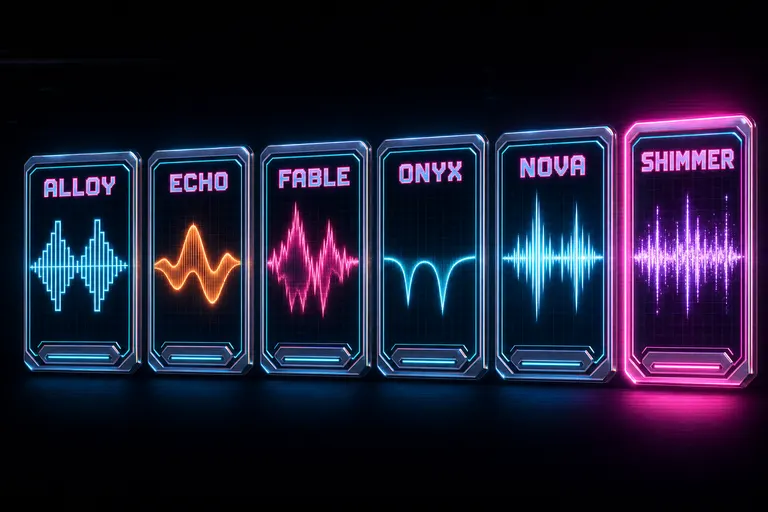
Six glowing neon voice cards in a row — Alloy, Echo, Fable, Onyx, Nova, Shimmer — each with its own waveform signature
Three Providers in the Harness. One Lit Today.
Here's the part we want to be straight with you about, because most products won't be.
Under the hood, the voiceover system runs through a TTS harness that registers three providers: OpenAI (production, lit, the one your voice comes from today), ElevenLabs (registered, stub, dark until credentials are configured), and Google Cloud TTS (registered, stub, dark until credentials are configured). The harness picks the first available provider, retries transient errors three times, and falls back to the next one in the chain if a provider hard-fails.
What that means for you today: you hear OpenAI voices. Six of them. That's not a limit we hid — that's what's plugged in.
Why the other two are even registered if they're not lit: we wanted the failure mode to be honest. When we wire up ElevenLabs or Google — which is a key in an env file away — your existing voiceover code keeps working, and the "Try a different provider" retry button in the error banner has a real next stop. Today, if OpenAI is having a bad afternoon, the harness reports it by name: "Voiceover synthesis failed across all providers — OpenAI: <reason>." The UI offers a retry, a different voice, and a different quality tier. It doesn't lie about what it tried.
The system is plumbed for multi-provider. The plumbing is real. The water is on at one faucet.
You Don't Have the Script Yet? The Timeline Does.
The hardest part of a voiceover isn't recording it. It's writing it. You sit at 10pm, the cut is done, and you stare at the blank script field because the cut is the script, kind of, but in pictures, and now you have to translate.
We added a "Generate from Video" button to the voiceover panel. It reads your timeline — every clip, every clip's frame descriptions, every transcript segment, narrative role, emotional tone — and writes the script for the cut you already have. Not a generic explainer. The actual script that fits the visuals on your actual timeline.
You pick a style:
- Narration — clear, engaging, the default if you don't know what you want.
- Documentary — authoritative, thoughtful, with gravitas. The PBS voice.
- Energetic — upbeat, fast-paced, the trailer voice.
- Calm — slow, contemplative, meditative. The voice for a nature edit.
- Professional — corporate, polished, confident. The voice for the keynote recap.
You hit the button. The script comes back broken into timed segments — "text", "timing": "0:00–0:10", "startTime", "duration" — so the narration fits the runtime of the cut you wrote it against. You can edit it. You can rewrite it. You can throw it out and write your own. But the blank field problem is solved. The cursor doesn't have to start at zero.
If the script-generation step ever returns an empty result — provider off moment, malformed JSON — the system throws. Hard rule. It never substitutes a placeholder like "script": "" and pretend it worked. It tells you which provider failed, by name, and offers a retry. You always know what happened.
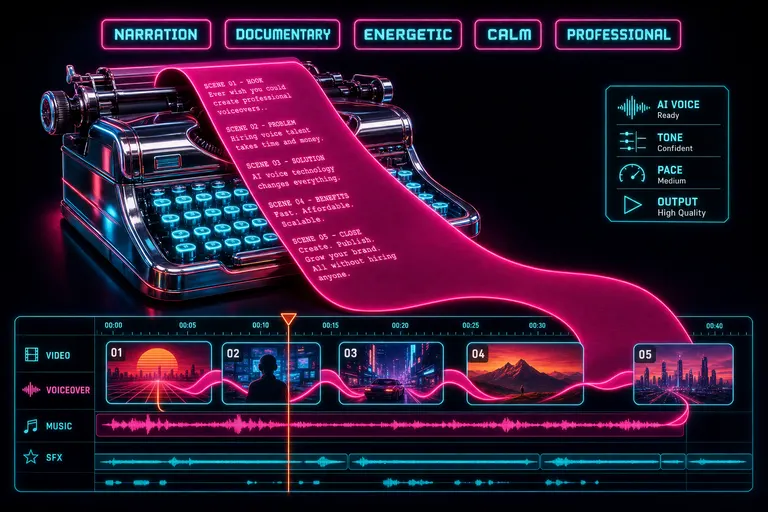
A glowing chrome typewriter spitting out a magenta script ribbon that flows into a stylized video timeline
The Mix Doesn't Blow Up. We Normalized to -14.
Here's the trap with TTS nobody warns you about: the voice comes out loud. Way louder than the bed music. You drop the VO on the timeline and the narrator is yelling over a whisper-quiet score and you spend twenty minutes pulling the rubber band gain down.
We didn't want that to be your job.
The voiceover pipeline runs through the same audio-normalization layer that handles every other piece of audio in your project. The default target is -14 LUFS — the loudness standard YouTube and Spotify normalize uploads to, the standard that means a viewer watching three of your videos in a row doesn't have to mash the volume rocker every time the next one starts. (See the EBU R128 loudness recommendation and the YouTube help page on loudness normalization.)
The analyzer measures the clip, the normalizer applies the gain, and the VO lands on the timeline already mixed for the room. You can override the target. Most of you won't. -14 is the answer for almost every modern delivery target.
The pipeline, end to end:
1. You write or auto-generate the script. 2. You pick a voice and a speed. 3. The harness routes the call to OpenAI's TTS. 4. The buffer comes back. It gets normalized to -14 LUFS. 5. It uploads to object storage. The URL comes back to the editor. 6. Optionally — if you hit "Generate & Add to Timeline" instead of "Generate Only" — a clip lands on the timeline at the current playhead, on the current track, with the voiceover as its source. Sound mixer reads it. Waveform draws it. Done.
Two buttons. One says "give me the audio file" — for the workflows where you want to mix in another tool. One says "put it on the timeline at the playhead" — for the workflows where this is where the cut lives. Both get the same normalized audio.
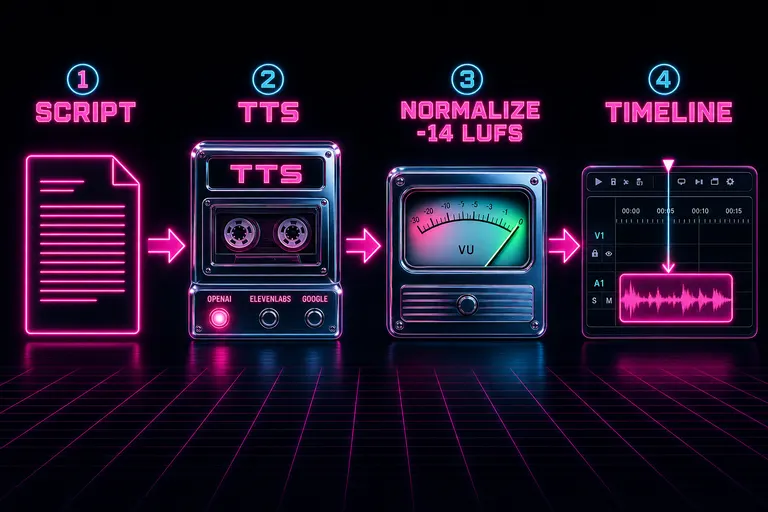
Diagram — script flows into a TTS engine, through a normalizer, and out onto a timeline
When AI Voice Beats a Human. When It Doesn't. (Honest.)
I'm going to be straight with you because the rest of the industry won't. Generate a voiceover free
Sometimes the AI voice is the right call. Sometimes it isn't. We built the feature because we needed it. We're not going to pretend it replaces every recording session.
AI voice wins for:
- Tutorial narration over a screencast. Nobody listens to a tutorial voice for personality — they listen for clarity. AI nails clarity. No popping P's, no cough breaks.
- Cold opens and trailer copy. Three sentences, one mood, no booking fee. Onyx reads a trailer line at midnight and the cut moves on.
- Multilingual draft versions of your own video. Same script, six voices, instant test renders. You'll still want a native speaker for the final.
- B-roll narration where the voice is glue, not story. Wedding montage VO. Real-estate walk-through. Product feature ticker.
- *First drafts of anything.* Hearing your script in a real voice — before you record it yourself — tells you in twelve seconds whether the writing is bad.
Human voice wins for:
- Your podcast. The host's voice is the show. AI voice on a podcast where the host's voice is the product is a category error. We're a video editor and we're telling you not to do it.
- Interview-driven documentary. When the subject is the voice. When the trembling and the breath are the meaning.
- Personal essay. If "I" is in the script and the "I" is you, record yourself. The audience came for you.
- Anything brand-defining. A brand's voice is a fingerprint. The way Casey says "boys." The way Hank pauses before a punchline. You can't synthesize that.
- High-emotion narrative moments. A eulogy edit. A breakup essay. The AI is technically capable. The audience can still tell.
The honest rule of thumb: *if the voice is content, record it. If the voice is glue, generate it. Most cuts need both. The AI voice frees up your wrecked-from-the-podcast voice for the moments that need* it. That's the trade.
A third bucket worth naming: some podcasts have started using AI voices and the audience can't tell. Two genres where this holds up — dense informational shows (headline-summary, market-update, history-rundown) where content density is what listeners came for, and sleep/meditation podcasts where a slightly-too-even cadence is actually a feature. If your video sits in one of those zones, the AI voice will hold. For everything else, ear out, gut check, you decide.
::
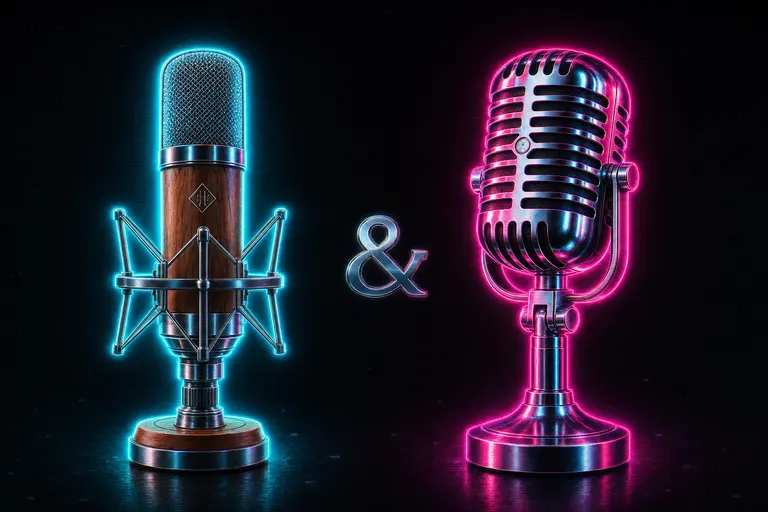
Two microphones side by side — a warm vintage condenser glowing cyan, and a chrome retrofuture mic glowing magenta — neither winning, both glowing
Twenty Seconds, Start to Finish.
Let me walk you through the actual loop, because the demo is the rebuttal.
You've been editing a three-minute travel cut. The middle works. The first ten seconds are a black hole. You've been hearing the narration in your head — something about how a city changes between sunrise and noon — but you haven't written it down.
Second 1. You open the voiceover panel from the AI chat or the audio panel.
Second 2. You hit "Generate from Video" with the "narration" style picked. The system reads every clip, every frame description, every transcript segment, every narrative role you tagged, and writes you a script.
Second 8. The script comes back. It's better than what was in your head, because it incorporated the wide shot of the bridge that you forgot you shot. You edit one line because the third sentence is too long.
Second 11. You pick Onyx, because the cold open wants gravitas.
Second 12. You hit "Generate & Add to Timeline" — the playhead is parked at 0:00 on track 2, the audio track you reserved for VO.
Second 18. The clip lands on the timeline. It's normalized. The waveform draws. The mixer registers it.
Second 20. You hit play. The cold open works.
That's the loop. We didn't add voiceover to brag about an integration. We added it because the cold open in your head shouldn't have to wait two days for a closet, a comforter, and a deadline.
If you want music under the narration — and most cold opens do — that's the AI music score post, and the two features live in the same audio panel. If you want to see how the VO sits in the mix once it's down, the audio mixer post walks the meters and the waveforms. If you want the AI to also choose the B-roll the narration plays under, B-roll on autopilot covers when to trust it and when to drive yourself.
The voice is one piece. The mix is one piece. The cut is one piece. We made the pieces fit.
You've been hearing the cold open for two days. You don't have to hear it for three.
Drop in the script. Pick the voice. Put it on the timeline. Go to sleep.
See you on the timeline.
— Gnarles
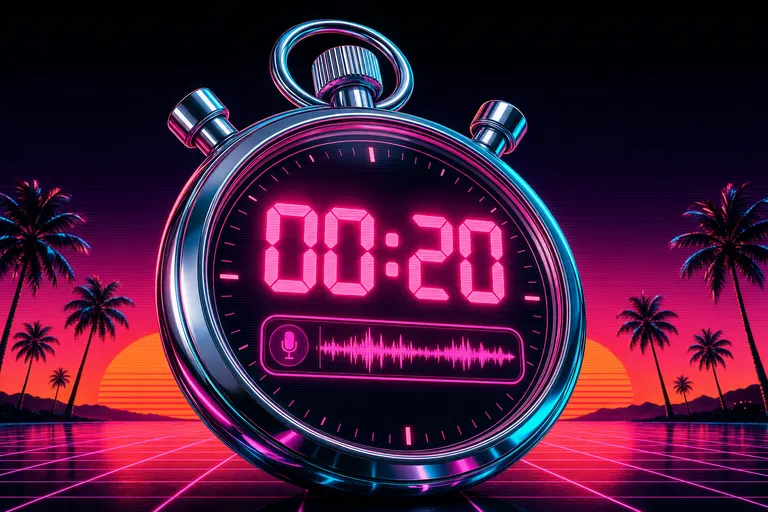
A neon chrome stopwatch reading 20 seconds with a glowing magenta voiceover clip nested inside its dial
Try the workflow
Open every feature from this post in the editor
These panels collect the features discussed above. Sign in once, finish your profile if needed, then the editor opens the first highlighted surface and walks through the tutorial.