
Overview
Gnarles here. Pull up a stool. The deck is warm.
You shot it. You ingested it. You cut it. The picture works. The transcript reads. And now you're staring at the music-library tab the way you stare at a hotel breakfast buffet at 6am — five hundred tracks called "Corporate Uplift 4" and "Hopeful Acoustic Stems," and none of them are the song your edit was supposed to be set to.
Royalty-free music libraries are the soggy salad of editing.
You know what I mean. You've eaten the salad. It hydrated you. It did not feed you. You closed the tab. You dropped in the same track you used last time. You told yourself the audience wouldn't notice. Then you noticed.
We built VibeChopper because the part of your cut an audience feels — the part that lifts the room or doesn't — isn't usually the picture. It's the score. And it was the one part of the edit that, for most creators, lived in someone else's CD bowl.
So we wired in Gemini Lyria as a first-class artifact of the AI edit run. Not a side panel. A real, planned, tracked, provenance-stamped piece of audio that the system writes for your cut and drops on a tagged track on your timeline. Here's what that looks like, end to end.
---
1. The Soggy-Salad Problem
The old workflow had three doors. All three led to a worse cut.
Door 1 — Pay for stock. Artlist, Musicbed, Epidemic. You auditioned forty tracks. You picked the third-best one because the second-best one expired at 1080p. The track was fine. "Fine" is the death-grade for music in a video.
Door 2 — Royalty-free inside whatever editor you were using. You used one. Three months later you saw another creator use the same track in a sponsored Reel. You felt embarrassed for both of you.
Door 3 — Roll your own. Two hundred bucks on a sample pack and three Saturdays on a Logic project you never finished. You went back to Door 1.
None of them is your edit. None was composed because of what's actually on the picture.
We wanted a fourth door. One that knew what the cut was about — segments, breaths, the emotional pivot — and then composed for that. That door is open now.
---
2. How VibeChopper Planned the Score (The AI Listened to the Cut First)
Music isn't an afterthought in the pipeline. It's a planned segment of the same dossier the AI uses to make every other call on your timeline. Score a timeline free
When you asked the chat to finish your cut, VibeChopper built a plan — a structured list of timeline segments. Each segment had a narrative role, source-clip evidence, an audio role (dialogue, ambience, room tone, music bed), and three little fields most editors don't even have a place for: musicIntent, audioMix, and finishIntent. That's how the AI says, in plain prose attached to each segment, what the music should be doing here.
Before any audio got written, the harness ran a helper called buildMusicPrompt. It pulled the explicit music intents per segment, the narrative beats, and your original chat message. It assembled them into a single composition prompt that opened with "Generate an instrumental music bed for a video edit," asked for a target duration in seconds, banned vocals and copyrighted melodies, and then handed off the plan-specific direction.
So the prompt that hit Lyria wasn't "make me sad piano." It was closer to:
Generate an instrumental music bed for a video edit. Target duration: 92 seconds. Avoid vocals, copyrighted melodies, or spoken words. Music and audio intent: ["soft airy felt piano under lake / flowers / eyes opener", "low felt-piano ostinato during absence walk, no pulse until ledge", "thin high motif over flower-lake-wedding section", "reactive quick responses on memory recap, A-minor add9 cadence at the end"]. Edit beats: lake opener: misty | downtown walk: pacing | Palmer Park: breath | ledge: pause | Steve disappearance: absence | flowers: punctuation | wedding walk: arrival | memory flashes: quick reactive. User request: score this 90-second piece in the soft-airy-piano direction Jameela described in the voice notes.
That's not a hypothetical. That's how a real project on the system — a 90-second piece called "Jameela Running Bride" — got planned. Picture ended at 89.6 seconds. Score was targeted at 92.0 seconds with a 2.4-second piano-and-reverb tail past the last wedding-dress image. Lyria's longer-form preview ran the call: the harness switches between the short clip-mode preview and the long-form preview based on duration. Over 30 seconds went long-form. Under 30 stayed clip-mode.
You didn't have to type any of that. The plan wrote the prompt because the plan already knew what your cut was about.
::
---
3. Lyria Generated. The App Attached Provenance. Every Time.
Most "AI music" tools generate a track, stuff it in a downloads folder, and walk away. Six months later you can't tell a generated track from a stock track from a track you paid a composer for.
We made that impossible to lose track of. Every Lyria call wrote back a structured artifact with:
- Provider:
gemini - Model: the exact preview ID Lyria used (long-form over 30s, clip-mode under)
- Generation API: the SDK method (
@google/genai.models.generateContent) - Call timestamp: ISO, to the second
- Actor user ID, run ID, run item ID, tool event ID: which run produced this music
- Prompt: the exact text we sent to Lyria
- Prompt-writing provider and model: the AI that planned the score and the AI that performed it are two different models, and you should be able to see both
- Request and usage metadata: response modalities, requested duration, Lyria's own usage report
- Generated title and description: built from the first line of the prompt
- Transcript and lyrics: in case the model accidentally rendered any text parts (we asked it not to — but if it did, we kept the receipts)
- Tags:
generated,generated-audio,generated-music,gemini,lyria,music-bed
That's the actual shape of the metadata blob stored against the asset. The file itself — base-64 audio off the Lyria response, decoded, written to Google Cloud Storage at a project-scoped path — got uploaded as a real project plan asset with all that metadata attached. The mime type came back from Lyria; the file extension got picked based on whether the bytes were wav, mp3, ogg, or m4a.
After the upload, VibeChopper appended a second tool event called create_music_clip. It found or created an audio track — one named music, score, or bed, or a fresh "Generated Music Bed" if you didn't have one — set the track color to our cyan brand hex, set track volume to a safe 0.55, and built the clip with sensible defaults so the bed didn't fight your dialogue: volume 0.32, fade in 1.2s, fade out the smaller of 2s or a quarter of the duration, content type music, source ai_generated.
Stored directly on the clip: run ID, run item ID, plan asset ID, storage path, public URL, role (generated_music_bed), tags, and a full provenance snapshot. The clip itself remembers where it came from. So can you. So can your client. So can the next person who opens this project six months from now.
You hit play. The bed played. The mixer drew the waveform. The score had a name, a model, a prompt, a duration, a run, a track, and a clip — all linked, all auditable, all yours.
---
4. Sync To Beats — Onset Detection Laid Markers On the Timeline
Bed on the track. Cut on picture. Now you want them to match. Cut on the beat free
VibeChopper's audio side already had onset and beat detection running. Your music clip's waveform got drawn by WaveformPreview. The mixer pulled levels into a VU display. The onset detector laid beat markers across the timeline — actual markers, not eyeball-the-peaks guesses — so the cuts you made next could snap to where the music was actually doing something.
Before: you eyeballed the waveform. You wedged a cut a few frames off the downbeat. Three days later it still felt half a frame late. You stopped fixing. You shipped a cut that was fine.
After: the beat markers were there. You held a clip edge and the timeline magnetized to the nearest beat. The cuts hit the music. The music hit the cuts. The audience didn't think about it — which is the whole point. They just felt it.
Side effect: because the music was generated to the plan, the bed already had its own internal cue points where the plan said the picture changed. The lake opener got a sparse felt piano. The absence walk got a low ostinato. The flower-lake-wedding section got a thin high motif. The memory recap got reactive quick responses. The piano cadence landed on picture-out and the reverb tail hung 2.4 seconds longer because the plan said to.
The beats didn't argue with the picture. They were written to it.
::
---
5. When To Swap In a Real Composer (Honest)
Coach hat on. If I only cheerlead, I'm just selling you a salad.
Lyria is excellent at music beds — the felt piano, the pad bloom, the low ostinato that holds the room while a person says something true into a microphone.
Lyria is not the move for every project. Here's where to swap to a human composer or licensed catalog music:
- A theme song or recurring main motif. A character has a motif. A show has a title cue. That's a song, not a bed. A composer should write that.
- A track with vocals you actually want. Lyria is configured to avoid vocals in our pipeline — we ask explicitly in the prompt, and the harness tags any text the model returns as
lyricsDetected. If you want vocals, license vocals from a human. - A piece your audience already knows. Nostalgia is its own instrument. If the cut needs Phil Collins, you need Phil Collins.
- A film score. A 90-second beat is a bed. A 90-minute feature is a score — composer, music editor, spotting session. The harness can sketch a temp. A composer takes it home.
What Lyria is for: the 90-second short, the daily reel, the corporate piece, the wedding edit your bride asked for in a voice note, the trailer cut you're scoring at 11pm because the deadline is at 8am. The piece where the music's job is to carry the story without competing with dialogue. That's a bed. That's our wheelhouse. That's where the soggy salad died.
If your cut needs a hook, hire a composer. If your cut needs a bed, hit generate.
---
6. A Walkthrough — Scoring the "Jameela Running Bride" Cut
One real piece. Reps in, reps out.
The project: Jameela Running Bride. 89.6 seconds of picture. 28 visual clips, 10 source-audio clips, one adjustment layer for color. A wedding edit with a story — lake opener, downtown walk, Palmer Park, a ledge moment, a beat where Steve disappears off a bench, flowers, wedding walk, and a memory-flash recap. The director left four voice notes attached to the project. Transcripts said: soft, airy piano, felt hammers, misty green tone, reactive to scene changes, no drums, one-second quick-cut memory sequence at the end.
Rep 1 — Plan. The chat read every voice note as context and built a four-cue plan:
1. Lake-memory piano (0.0s – 21.0s) — one exposed felt-piano note on frame zero, tiny harmonics every four seconds, no pulse until the ledge. 2. Absence walk (19.0s – 45.5s) — low felt-piano ostinato under Steve walking, pad bloom during the bench disappearance. 3. Flower-lake-wedding (43.8s – 73.6s) — thin high piano motif, soft subharmonic pad, more air around flower inserts. 4. Memory recap coda (72.0s – 92.0s) — quicker piano responses on each one-second flash, A-minor add9 cadence at 89.6s, reverb tail to 92.0s.
Crossfades got scheduled at the cue boundaries — 19.0–21.0s, 43.8–45.5s, 72.0–73.6s — so the bed felt like one piece, not four cuts.
Rep 2 — Prompt. buildMusicPrompt took the per-segment intents and your top-line ask. The prompt asked for 72 BPM, A-minor / Dorian-adjacent tonality, misty and unresolved until the final wedding-walk cadence. No drums. Felt-piano timbre. Long-form preview model, because the target duration was over 30 seconds.
Rep 3 — Generate. Lyria returned inline audio (a base-64 audio/wav blob) and zero text parts. The harness decoded the blob, picked a .wav extension, built a filename like gemini-lyria-<projectId>-<timestamp>.wav, and uploaded to Google Cloud Storage as a project plan asset.
Rep 4 — Provenance. The asset got the full metadata blob from section 3 — provider, model, API, call timestamp, run IDs, prompt, prompt-writing provider and model, request and usage metadata, target duration, an auto-generated title built from the first line of the prompt, an empty lyrics array, and the tag set.
Rep 5 — Tool event. The harness appended gemini_lyria_music as a tool event on the run, with the asset ID and storage path in the output payload. If Lyria had failed or skipped, the tool name would have read gemini_lyria_music_skipped and the status would have been recorded — so you'd know why there wasn't a bed instead of seeing nothing happen.
Rep 6 — Music clip. A second tool event, create_music_clip, fired right after. It reused an existing audio track named "Generated Music Bed" from earlier in the day and laid a clip on it from 0.0s to 92.0s — volume 0.32, fade in 1.2s, fade out 2.0s, content type music, source ai_generated. The clip's aiAnalysis field captured the full provenance snapshot.
Rep 7 — Pick up the whistle. You opened the mixer. The waveform drew. The VU meters lit. Beat markers landed at the cue boundaries. The reverb tail rang for 2.4 seconds past picture-out. You hit export.
Time spent on music for this edit: about as long as it takes to read this paragraph. Time spent a year ago: a Saturday.
That's the gym. Cut, watch, cut. Sets and reps.
---
See You On the Timeline
The next time you sit down to score a cut, you're not opening a stock-music tab. You're not browsing a genre tree someone else built. You're asking the system to listen to the picture and write the bed.
The bed shows up tagged. The provenance shows up attached. The track shows up named. The clip shows up faded. The beats show up on the timeline. The reverb tail shows up at the end.
If you want the engineering walkthrough — how the Lyria call returns inline audio, how the harness stores it as a tracked artifact, how the music clip gets glued onto the timeline — that's the developer companion post: How we built it: Gemini Lyria artifacts.
On the creative side, pair this with Sounds You Can See — the mixer, meters, waveforms, and beat-detection post — and with AI Voiceover Without Hiring Anyone when you want the bed and the narration out of the same pipeline. A 90-second piece can leave VibeChopper with the score, the VO, the color, the cuts, and the export, all scored to one bed that knew what the picture was about.
That's not a feature. That's a different door.
See you on the timeline.
— Gnarles
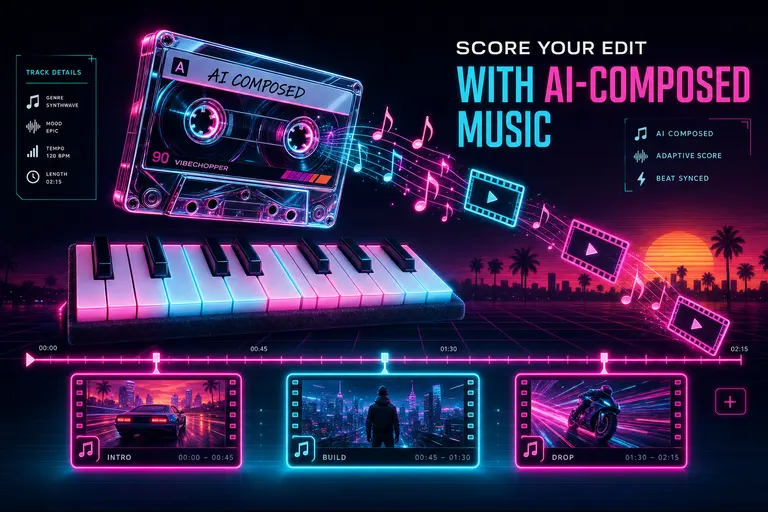
A glowing chrome cassette spinning above a felt-piano keyboard while musical notes turn into clip thumbnails on a magenta timeline
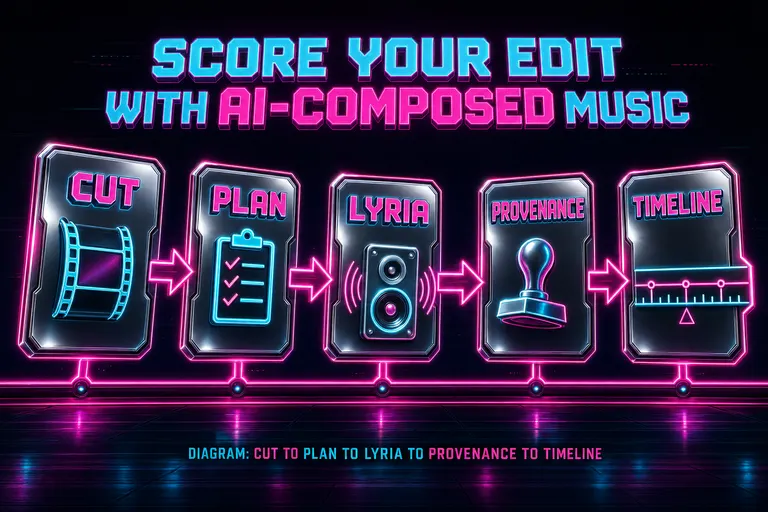
Diagram: cut to plan to Lyria to provenance to timeline, five chrome panels connected by neon arrows
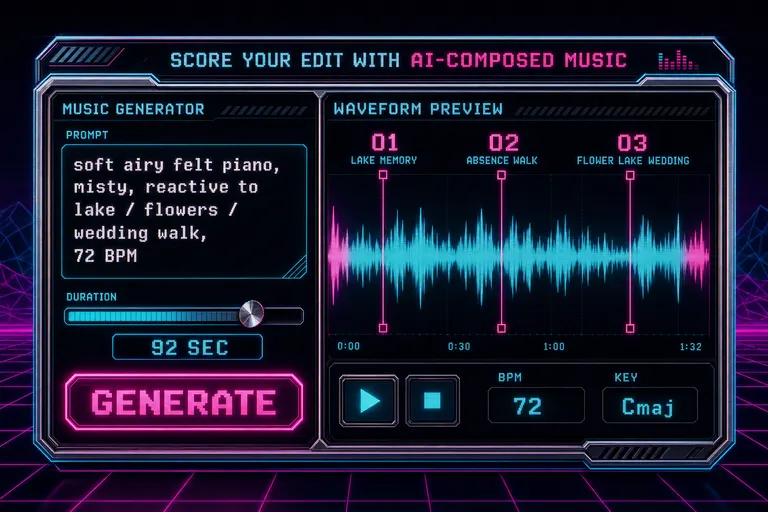
Stylized synthwave mock of the music generation panel inside the VibeChopper editor
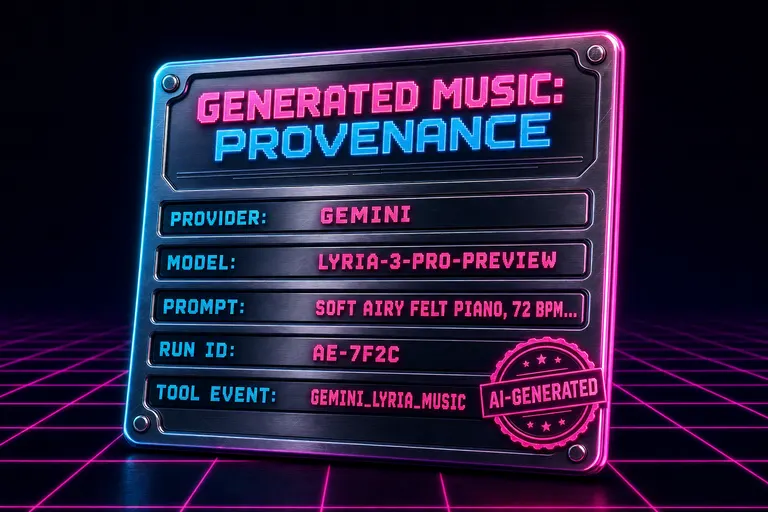
Stylized synthwave mock of a provenance card listing model, prompt, run ID, and tool-event ID for a generated music bed
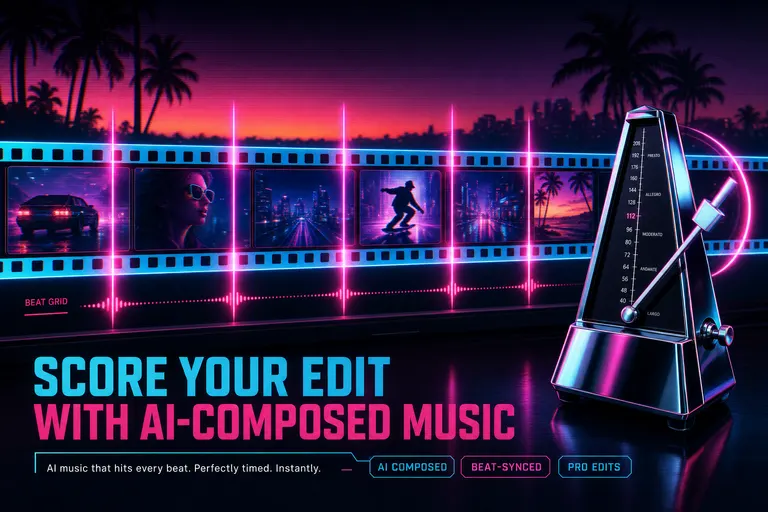
Neon beat-markers laid across a glowing filmstrip, each marker hitting a frame on the strip
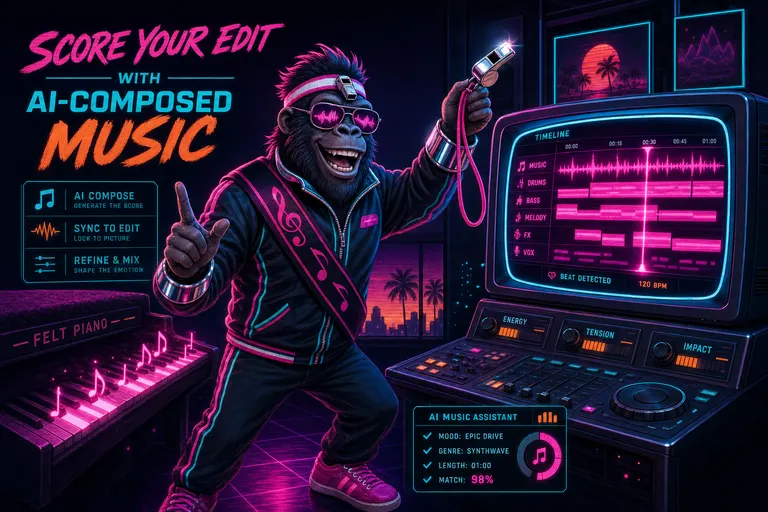
Gnarles Chopper in synthwave-conductor garb conducting a glowing CRT timeline with a chrome whistle baton
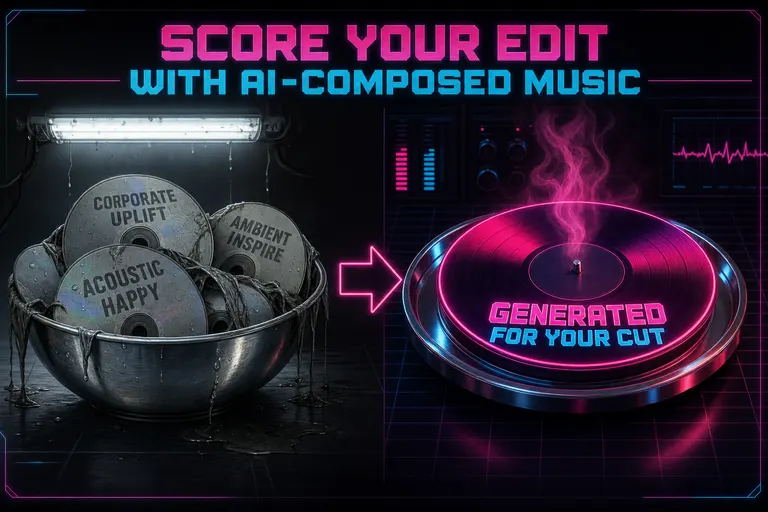
A bowl of soggy stock-music CDs labeled with bored corporate genre tags, sitting next to a glowing fresh score with a steam waft

A felt-piano note suspended above a sunrise horizon as a film reel completes its final rotation
Try the workflow
Open every feature from this post in the editor
These panels collect the features discussed above. Sign in once, finish your profile if needed, then the editor opens the first highlighted surface and walks through the tutorial.