
Overview
Gnarles here. We're going to talk about the last 20%.
You shot the thing. You uploaded the thing. You typed the rough cut into the chat and watched the AI lay clips on the timeline like cones on a field. The bones are good. The story's there. You can feel it.
But there's air between two of the lines. There's a jump cut at 0:34 that snaps too hard. There's a beat right after the punchline that drags a quarter-second too long, and you know it drags because you watched it once and your shoulders dropped. That's not a story problem. That's a polish problem.
Polish used to be the part where you cancelled dinner. We made it a button.
1. The 80/20 of polish
The first 80% of a cut is decisions. Which clips. Which order. Which line lands. Which line dies. That's the part you got into editing for.
The last 20% is touch. Pull this clip in by twelve frames. Drop the gap between these two lines from 0.4 seconds to 0.2. Soften the cut so the speaker's blink doesn't strobe. Let the music breathe through the punchline. Don't let it breathe through the next one. Repeat. Two hundred times across a four-minute video.
The first 80% takes a Saturday afternoon. The last 20% takes the rest of your weekend.
We didn't want to take your decisions. The decisions are yours — the part the audience feels. We wanted to take the two hundred reps of "pull this in by twelve frames" off your wrist.
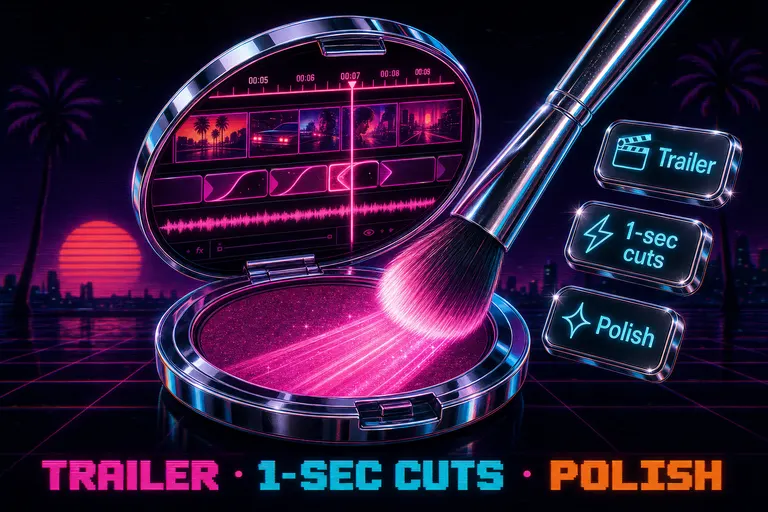
So we added three presets to the empty chat. One of them was the Polish button.
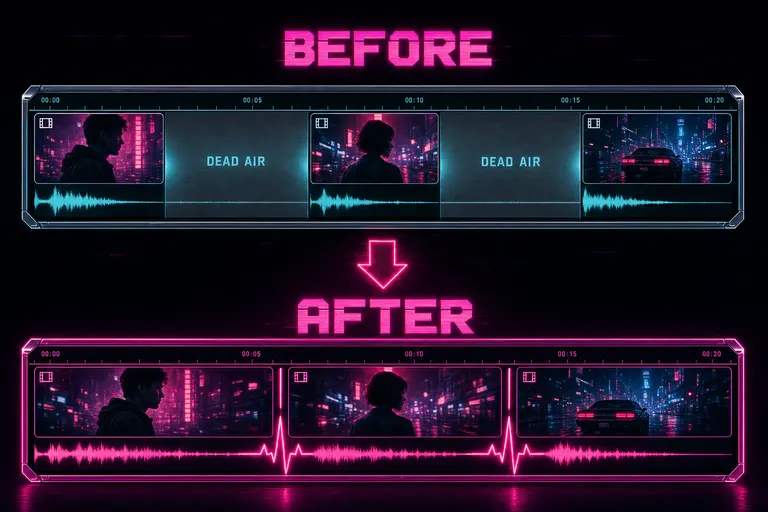
Before and after timeline strips — the before is bloated with grey dead-air gaps between clips, the after is tight and lit magenta
3. The other two empty-chat tiles
The Polish tile was the third tile, not the only tile. The empty chat shipped with three quick actions, and the trick was knowing which one matched the work in front of you.
Tile one — Assemble a trailer
The early move. You'd uploaded a project. Footage ingested, every frame described, every word transcribed. The timeline was still empty. You wanted something watchable, fast.
The tile filled the chat with:
Can you look at all the clips in this project and assemble a trailer for this project?
Settings flipped the opposite shape of Polish. All Media turned on — trailer assembly had to see every candidate clip, transcript, and frame. Plan and Rubric on. Strict verification on.
The "I have a wedding shoot and I need a 60-second hype reel by morning" button. You pressed it. The harness went looking. The first cut came back with the bride's laugh, the toast, the dance floor, the slow-motion confetti. You corrected the parts you wanted corrected. You shipped.
Tile two — One-second highlights
The middle tile was the rep-out button. Take the clips already on the timeline, trim each one down to its single most interesting second. This was for short-form — Reels, Shorts, back-to-back hard cuts.
The prompt:
Would you take the clips that are on the timeline and trim them down to just the most interesting one second of each clip?
Settings flipped lean. Inline edit mode on, not Plan and Rubric — this wasn't a story decision, it was a direct timeline operation. All Media off; we weren't shopping for new clips. Version history off, to keep context small. Normal app undo still had your back.
Press it. A 90-second loose cut became a 22-second hard-cut highlight reel. Watch it. Fix the two clips where the model picked a beat that didn't punch. Export.
Tile three — Polish
The late-stage move, walked through in section 2. Trim done, clips in order, story there. Tighten the air, smooth the seams, ship.
Three tiles. Three stages of the cut — early, middle, late. Each one tuned the harness differently because each one was a different kind of work.
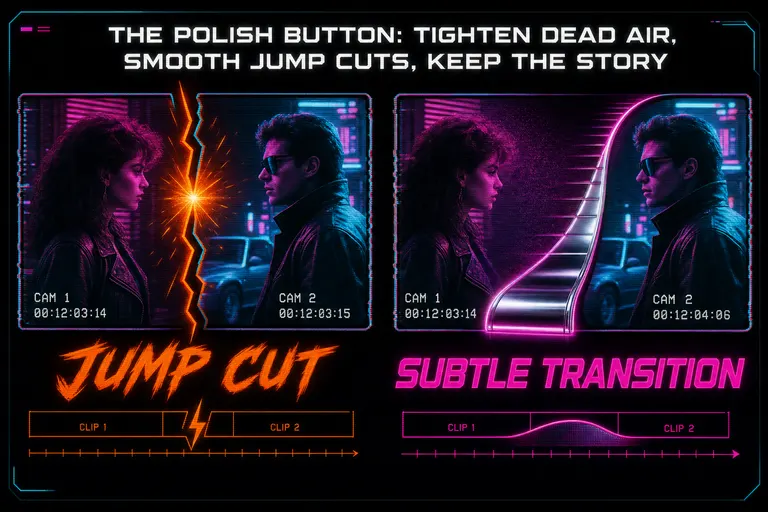
A jagged jump cut between two clips smoothed into a soft cross-dissolve, rendered as a chrome ramp
4. The reminder dialog (why we slowed you down once)
The first time you pressed any tile, a small dialog opened. It showed the preset's name, the prompt it had just filled in, and the four settings it had toggled — in plain English. Mode: Plan and Rubric. All Media: off. Timeline: on. Version history: on. Try a one-second highlight reel
Then a checkbox: Don't remind me next time I use this suggestion.
That dialog wasn't a sales pitch. It was a coach handing you the clipboard. We wanted you to see what the preset did to the harness's brain before the edit ran. The preset was making a setup choice on your behalf; the only way you'd trust the next one was to know what the last one did.
Press once. Read the card. Tick the box. Move on. Next time you hit Polish, the prompt filled, the settings flipped, the dialog stayed asleep. You'd already had the meeting.
A button hides the choice. A tool shows you the choice, lets you skip the next showing, and moves out of your way.
::
5. When polish was wrong (preserving "the rough thing")
Sometimes the rough thing is the thing.
A jump cut at 0:34 that snaps too hard? Maybe that's the rhythm. Maybe the pause before the punchline isn't dead air — maybe it's the setup. Maybe the silence at 1:22 is what makes the music drop at 1:23 work.
Polish was tuned conservative — "subtle transitions only where they help", "keep the strongest story beats intact" — but conservative isn't omniscient. Sometimes the harness was going to be wrong for your cut. Which is why Plan and Rubric was on, strict verification was on, and version history was on.
Watch the plan. Read the rubric score. Let the edit run. Watch the new cut once. If the harness pulled a beat that was supposed to drag, undo. One undo restored the pre-polish state. Roll back. Edit the prompt to say "tighten dead air except the silence before the music drop." Send.
That's the loop. Polish wasn't "press button, receive cut." Polish was "press button, read the plan, watch the run, keep what works, undo what doesn't, repeat." Same loop as every other edit. The button just took the first eight steps off your wrist.
The preset filled the input, but the input was yours. You could append to it. You could rewrite it. The textarea wasn't locked. The preset was a starting line, not a finish line.
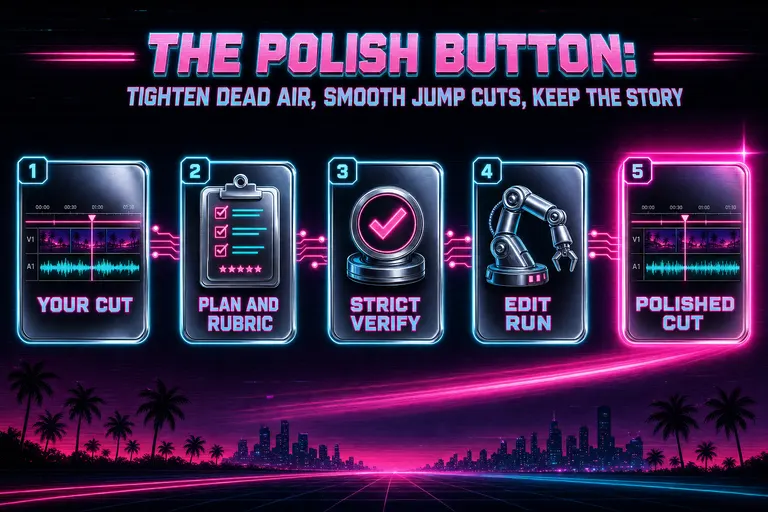
Diagram of the Polish flow: timeline in → Plan and Rubric mode → verified plan → edit run → polished timeline out
6. Walkthrough — polishing a four-minute cut
A four-minute talking-head video. Rough cut already done in the chat — "trim the first eight seconds, drop the part where I sneezed at 1:14, cut the tangent about my cat between 2:30 and 2:50." Three clean commands. The harness did the work. You watched it once.
The cut was there. But:
- The opening felt thirty frames too slow on the first line.
- The cut at 1:14 snapped hard against the next sentence.
- A half-second of silence at 2:08 wasn't a beat — it was a breath you took because the room was hot.
- The final line landed but the cut to black happened too fast.
This is the moment Polish was for. The chat wasn't empty anymore, so the tiles weren't showing — but you typed the same prompt from memory: polish this timeline: tighten dead air, smooth the jump cut at 1:14, keep the final line breathing. Sent.
Plan came back:
- Trim 0.4 seconds of dead air at the open.
- Add a 6-frame dissolve at 1:14 to soften the cut.
- Trim 0.4 seconds of breath at 2:08.
- Hold the final frame an extra 12 frames before the cut to black.
You agreed with three of four. The dissolve at 1:14 was a bad call — you wanted that cut to stay hard, because the new sentence is a punchline. You replied: do the trims, skip the dissolve at 1:14. The harness amended the plan and ran it.
Twelve seconds later, the new cut was on the timeline. Open snapped. Breath at 2:08 gone. Final frame held the extra twelve. Cut at 1:14 unchanged. You shipped.
That whole loop — read the plan, push back on one beat, watch the run, ship — took less than four minutes. The hand-edit version would have taken thirty.
You didn't lose taste. You moved where you put the taste. That's the whole game.
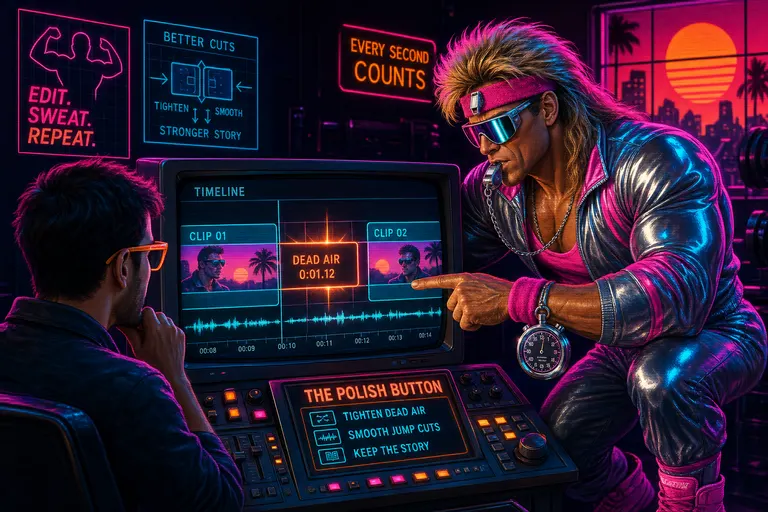
Gnarles in a synthwave gym coaching a creator at a CRT timeline, pointing at a dead-air gap with a chrome whistle in his mouth
7. The rep
Cut. Watch. Polish. Watch. Ship.
Five verbs. The Polish button collapsed the middle one into a single press, but the watching on either side stayed yours. The audience feels your watching. They don't feel the model's tightening. Good.
If you're still doing the last 20% by hand at 1am, you're not lifting heavier. You're doing reps your tools could be doing for you while you sleep. Take the rep off the wrist. Put the taste where it counts.
You shot it. You ordered it. You polished it. The cut is done.
See you on the timeline.
— Gnarles
---
Related reading: Tell It What You Want. Watch It Cut. covers the chat-driven editing surface this post sits on top of. How to Edit a 60-Second Video in Under 2 Minutes (Honestly) runs the timer on the full workflow, polish step included.
A tight, polished timeline strip rolling out of a chrome cassette deck under a sunset palm-tree horizon
Try the workflow
Open every feature from this post in the editor
These panels collect the features discussed above. Sign in once, finish your profile if needed, then the editor opens the first highlighted surface and walks through the tutorial.