
Overview

A chrome vending machine spitting out a row of identical short-form clips next to a glowing magenta chat bubble whispering a single different clip
The "paste a link, get clips" promise
There is a category of tool that has, by any honest read of the last two years, won.
You paste a link to your 90-minute podcast. You wait somewhere between four and twenty-five minutes. You come back to ten or thirty vertical clips with captions burned in, faces auto-tracked into a 9:16 frame, a "virality score" stamped on each one, and a download button. You publish three. The other twenty-seven sit in a folder for the rest of your life.
OpusClip did it first at scale. Vizard refined it for the bulk-repurposing crowd. Submagic took the caption layer further than anyone else. The pitch in all three places is the same: upload long, get short. No timeline. No keyframes. No wrist.
I'm not going to pretend that pitch is fake. A podcaster who used to pay a $25-an-hour editor to scrub a three-hour episode for pull-quotes can run the same episode through OpusClip Pro for $29 a month and get a stack of usable clips before lunch. That math saved a lot of careers.
So let's start with respect. The three tools you came here to read about all do something that, six years ago, was the entire job of a human assistant editor. The question this post answers isn't "are these tools good." They are. The question is: what happens the second clip in, when the box stops listening?
What the link-tools actually do well
Before we go anywhere mean, let me say what each of these is genuinely the best in the world at.
OpusClip is the strongest pure long-to-short engine on the market. Its ClipAnything model doesn't need a "podcast vs. webinar" hint. You paste, it picks moments, it stamps a "virality score" (somewhere between 80 and 95 on almost everything, which tells you something), and hands you captions at a claimed 97% accuracy. Free tier: 60 minutes/month. Starter $15/mo, Pro $29/mo with 300 minutes. If "I have one big interview and I need ten clips by tonight" describes your week, OpusClip is the right answer.
Vizard is the bulk repurposer. Where OpusClip wants to feel like a smart picker, Vizard wants to be the batch-processing factory — "30+ clips in one click," translation into 100+ languages, scheduled posting baked in. Free tier 60 minutes/month with a watermark; Creator $29/mo or $16.90/mo annual, Business $39/mo or $22.80/mo annual. If you run a B2B podcast or you're carving one keynote into 40 snippets across five languages, Vizard is built for you.
Submagic is the caption tool that won. The "magic clips" feature is real and the multi-color, word-stack, emoji-punctuated caption styling is the look every TikTok-native short adopted in 2024 and never let go. Pricing as of May 2026: free tier (3 videos/month, watermark), Starter around $20/mo, Pro around $40/mo, Agency around $80/mo, with 4K/60fps export on the higher tiers. Their own comparison page is more honest than competitor pages usually are: they openly position themselves as "captions and style first, clip-picking second."
Read the 2026 Reap benchmarks, the MakeShorts roundup, or the Riverside alternatives post and the rankings shuffle, but the verdict shape doesn't: OpusClip for speed and viral-style picking, Vizard for volume and multilingual repurposing, Submagic for caption craft. Three real strengths. Three tools doing the job.
That's the credit. Lift complete. Rep counted.
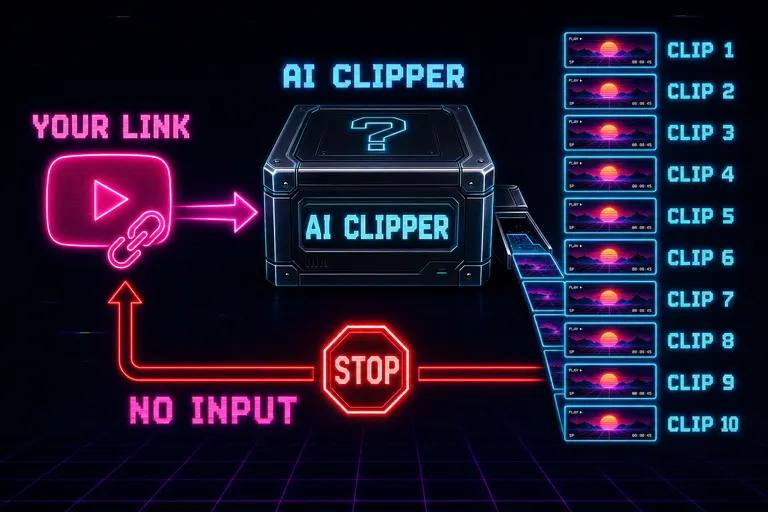
Diagram: a YouTube link enters a black box labeled AI CLIPPER and ten identical clips fall out the other side
Where it stops working
Here's what nobody on those landing pages tells you.
The link-in-clips-out workflow is a black box with one input and one button. You pasted the link. You pressed Generate. The model did its thing. Now what?
You watch clip number three. It's good. It's almost the cold open you wanted. The model started two seconds too early — the speaker was still settling. The caption emphasis landed on "uh, so I think" instead of "the whole industry got it wrong." The auto-reframe centered the wrong person during a two-shot. You want to nudge three things.
In OpusClip, you can re-edit the clip in their text-editor view, delete a sentence, swap a font. In Submagic, you can restyle and trim. In Vizard, same. All three have an editor behind the magic button. None of them have a place to say "do the clip again, but pick a different in-point and hold on her face two beats longer at the end." You can fiddle with the result, but you cannot send the model back to the footage with a note and have it propose a different cut from the same source.
That's the ceiling. The Submagic comparison page says it out loud about OpusClip: "Users cannot manually select specific moments or refine captions." The same line applies to all three. The "virality score" is the failure mode in miniature — a number the model gives you about a clip you didn't direct. You don't trust the score because you didn't pick the moment.
The other thing nobody says on the landing pages: every clip starts to look the same. When ten thousand creators pipe their podcast into the same model trained on the same definition of "engaging short," you get ten thousand clips that share a sentence rhythm, a caption style, a 0.5-second hard-cut every two seconds, a zoom-on-the-punchline whip. The audience clocked it. Digiday's late-2024 data shows audience preference for AI-generated creator content dropped from 60% to 26% in eighteen months. The format won the algorithm and then the algorithm started discounting the format.
Three concrete things you can't do inside any of the three boxes:
1. Iterate. You cannot say "second pass, but tighter, and start on the laugh." 2. Direct. You cannot attach a brief — a mood, a target audience, a "make this feel anxious, not curious" note — and have the cut respond. 3. Step outside the clip's own footage. None of them let you say "use the take from the other episode where she answered this question better." The box only knows the link you pasted.
The ceiling isn't the model. It's the interface contract. You hand over a link. You take what comes back.
The conversation alternative
We built VibeChopper on a different contract. Try the conversation flow
You don't paste a link. You drop your footage in, the way you'd drop a folder of clips on a real editor's desk. The AI watches it — every frame described every half-second, every word transcribed, every speaker labeled — and then it asks you what you want. Or you tell it without being asked. Either way, the next sentence you say is part of the cut. The chat is the timeline.
Want the cold open three seconds later? Type it. Want to hold on her face two beats longer? Type it. Want the silence between her two laughs cut by 40%? Type it. Want the b-roll swapped for a different shot from the morning of the same shoot? Type that too. You can attach a brief, an audience note, a vibe — the AI reads the brief before it cuts, the way a director reads the call sheet before walking on set.
That's not a "feature." It's a different shape of tool. The link-tools answer what would a good clip from this video be? once. VibeChopper answers what's the next thing you want? every sentence. Both are useful. Not the same job.
The other shape difference is who owns the iteration loop. With the link-tools, the loop is you-and-the-result: you got the clip, you fiddle with it. With VibeChopper, the loop is you-and-the-model: you got a draft, you tell the model what's wrong, the model proposes the next cut from the same footage, and you do that ten times in five minutes. The clip you ship at the end of those reps isn't a clip the model picked. It's the clip you directed the model into.
::
Side-by-side: same podcast, four tools
I ran the same 47-minute podcast episode — two people, one studio, one camera, one conversation — through all four tools and asked for "the best three clips, in 9:16, with captions." Here's what I got back.
OpusClip picked three clips in 11 minutes. Each came with a virality score between 87 and 94. Captions in the OpusClip yellow-and-white word-stack style — punchy, accurate, slightly aggressive. Two of the three clips started ninety to one-hundred-twenty frames before the actual moment. One auto-reframed onto the wrong speaker for the first three seconds because both faces were in shot. The text editor let me trim the in-point, but I had to do it myself. The model had no idea I'd done it.
Vizard gave me thirty clips in 14 minutes. The "30 in one click" pitch is real. About a third were genuinely strong. A third were watchable but blunt — one-beat, a single line of speech with no setup or payoff. The last third were keyword-density picks with no emotional shape. Translation into Spanish and Portuguese worked cleanly, which is the use case Vizard is built for. For a B2B marketer cutting a webinar across five languages, this is the right tool. For a creator who only wants three good clips, the signal-to-noise ratio means twenty minutes of scrubbing the batch.
Submagic is the honest one in the comparison: it told me upfront it was better at captions than at clip-picking, and the result reflected it. The "magic clips" picks were fine — closer in spirit to OpusClip than to Vizard's volume play — but the caption styling was a different sport. The multi-color, emoji-punctuated, word-by-word emphasis is the genre's house style, and Submagic owns it. If I had three clips picked by hand or by another tool and I wanted them caption-styled, this is where I'd send them.
VibeChopper didn't try to give me three clips in one click. That's not the shape of the tool. I dropped the episode in, the AI ingested it, and I said: "Find the moment where she contradicts the question. Start on the breath she takes before she answers. Hold on her face two beats after the punchline. Caption it cyan, one line at a time, no emoji." The first draft was 80% there. Follow-up: "shorter cold open, keep the sigh." Second draft was the clip I shipped. Total time from drop to export: nine minutes. Three messages.
The headline isn't that VibeChopper "won." The headline is that the four tools are answering different questions. OpusClip and Vizard answered "what would a good clip look like?" Submagic answered "what would a great caption layer look like?" VibeChopper answered "what clip do you want?"
If you only have one of those questions, pick the matching tool. If you have all four — and most creators do, over a week — you need a stack.
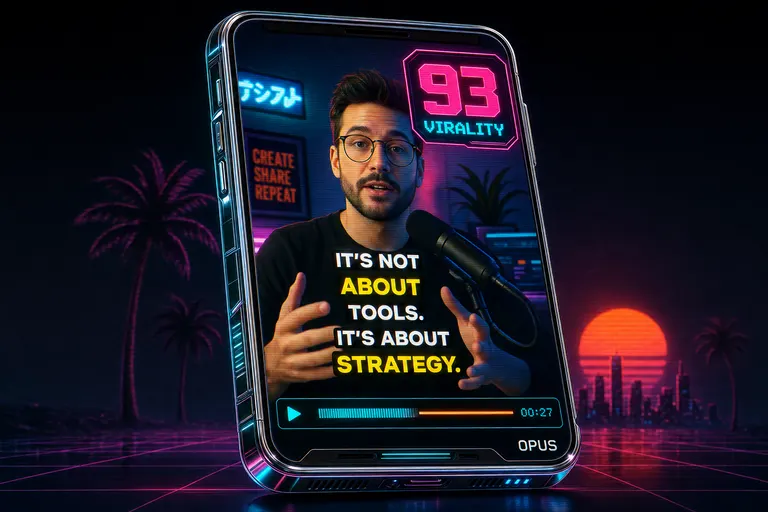
A stylized mock OpusClip output: a vertical phone-screen clip with a virality score badge, animated word-by-word captions, and a watermark
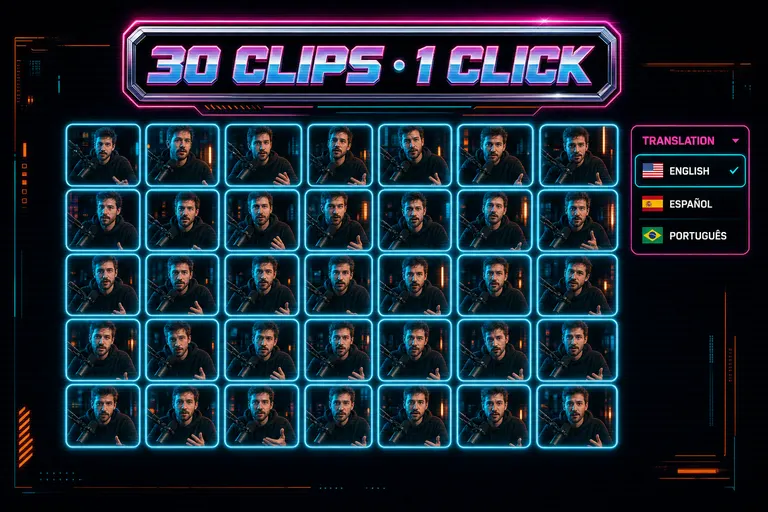
A stylized mock Vizard output: a grid of thirty identical-looking short clips, each in a slightly different reframe, with a counter reading 30 CLIPS, 1 CLICK
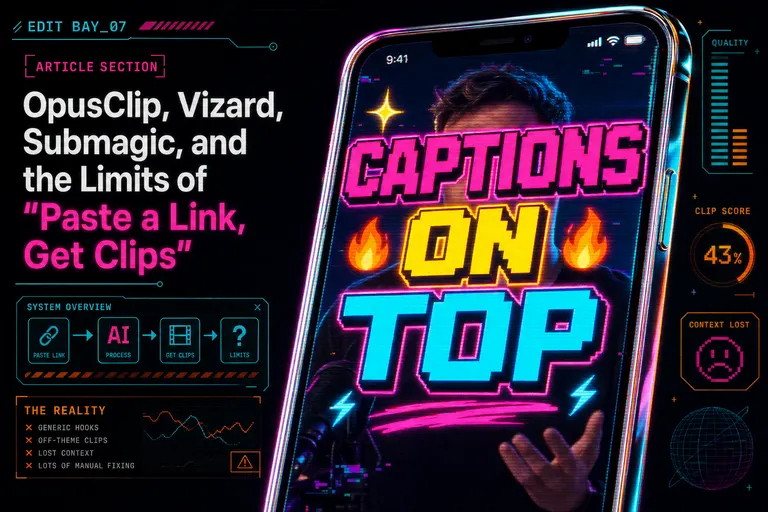
A stylized mock Submagic output: a clip dominated by aggressive multi-color animated captions and emoji, with a tiny crop of the actual speaker behind them
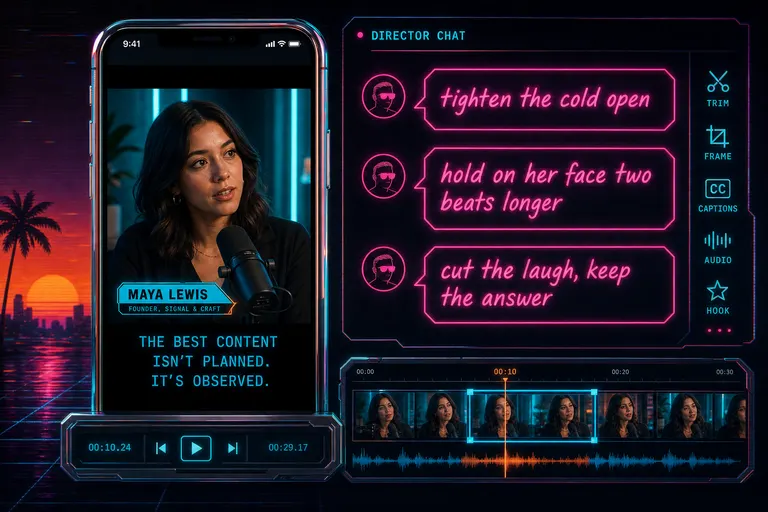
A stylized mock VibeChopper output: the same podcast turned into a clip with a chat sidebar showing the directing notes that made it different
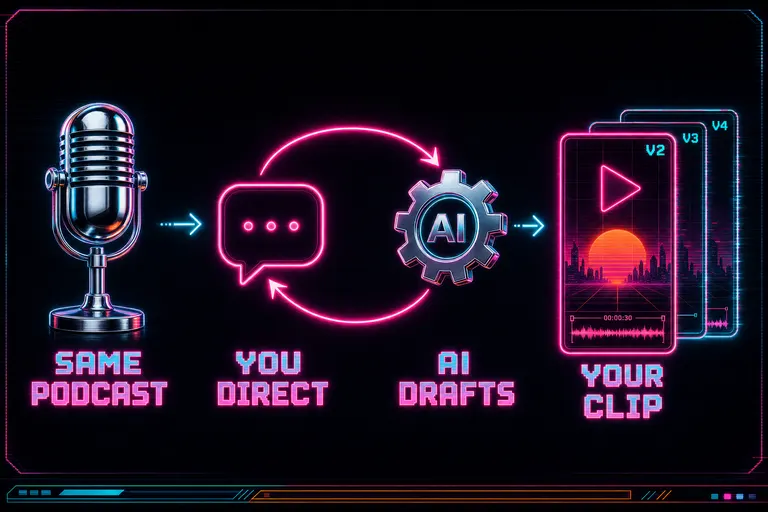
Diagram: the same podcast goes in, but instead of one black box, a chat loop with the editor produces a directed cut
When to use the link-tools anyway
I'm not in the habit of trashing tools that work. Three honest scenarios where the link-tools are the right pick:
Scenario one — long podcast, publish-by-Friday deadline, zero opinion about the clips. Canonical use case. You ship one episode a week and clips are a distribution chore, not a craft. Pipe the episode into OpusClip Pro, take the top three by virality score, give them a glance, post them. Twelve minutes total. The clips will be fine. You will sleep.
Scenario two — translating one piece of content into many markets. Vizard's translation and reframe at volume is the strongest in the category. If your job is to turn one CEO keynote into thirty-five LinkedIn snippets across six languages by tomorrow morning, you aren't directing each clip. You're running a factory. Vizard is the factory.
Scenario three — you already have a hand-cut clip and you want the genre-default caption look. Submagic. Don't overthink it. Their caption styling is good enough that it is, by itself, a reason to subscribe. Free tier is three videos a month — try it on a clip you already love.
In all three, the box-with-one-button isn't the limit of the workflow. It's the right shape for the job. A vending machine is the right vending machine when you actually want a candy bar.
The trouble starts when the job changes shape and the vending machine doesn't.
The hybrid workflow
Here's what I actually do, and what I recommend anyone reading this try this week. Build the hybrid workflow
Use the link-tool to draft. Use VibeChopper to direct.
The link-tools are unbeatable at one move: turning forty-seven minutes of source footage into a short list of candidate moments in under fifteen minutes. That's the move you would have paid a junior editor to do four years ago. Let the model do it. Take the OpusClip output, the Vizard batch, the Submagic magic-clips — your choice based on the source — and treat it as a draft list, not a deliverable.
Then bring the source footage and the draft list over to VibeChopper. Drop the original podcast in. Reference the moments the link-tool surfaced. Open the chat and direct the actual cut. "Start the OpusClip pick three seconds later. Hold the silence before the answer. Caption it cyan, one line, no emoji. Cut in the b-roll from the morning shoot when she says 'the whole industry got it wrong.'" The first half saved you assistant-editor hours. The second half gives you back the directing role the vending-machine pattern took away.
::
Two reasons to run it this way.
One: cost compounds the right way. OpusClip Pro at $29/mo and a VibeChopper subscription side-by-side is still less than a single hour of a freelance editor in any city you'd want to live in. You're not stacking tools — you're stacking moves, the cheap fast one and the careful directed one. Each does what it's built for.
Two: the audience can tell. The genre-default short — the OpusClip animation, the Submagic captions, the auto-reframe whip — is recognizable now. The authenticity preference data isn't a vibe; it's measured. Audiences favor messier, more directed, more specific clips by more than two-to-one over the default-AI look. If every clip you ship looks like every other clip in the feed, you're paying $29 a month to disappear. The hybrid workflow is how you stop disappearing without going back to nine-hour timeline edits.
If you've been reading the head-to-heads (Submagic's own comparison, the Reap benchmark, the MakeShorts roundup, the Riverside alternatives list) and waiting for someone to say which one wins — I'm telling you the question is wrong. The link-tools won the draft. The director's chair was never on offer. We built the chair.
If you want the directing voice in your head to drive the cut, open the chat. If you want the link-tool draft and the director's chair stacked together, attach a brief and run the hybrid. Either way: stop letting the vending machine be the last word on your cut.
Draft, then direct. Rep in, rep out.
See you on the timeline.
— Gnarles
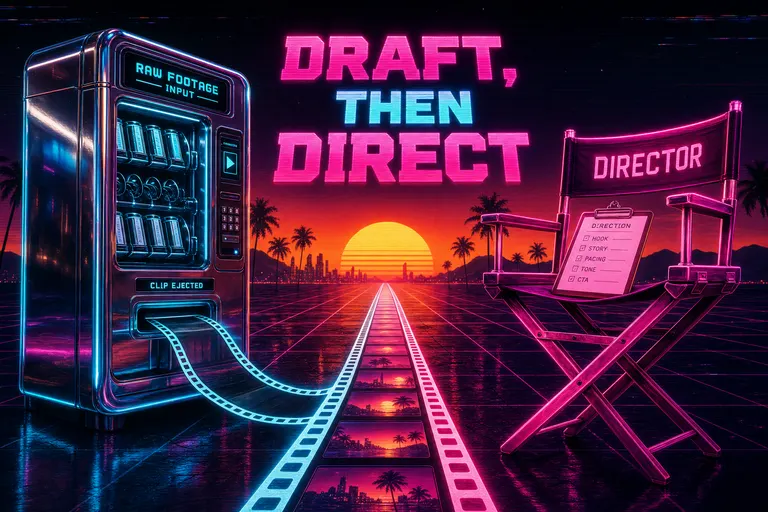
A chrome vending machine and a glowing magenta director's chair side-by-side under a synthwave sunset, both feeding into a single clean filmstrip
Try the workflow
Open every feature from this post in the editor
These panels collect the features discussed above. Sign in once, finish your profile if needed, then the editor opens the first highlighted surface and walks through the tutorial.