
Overview
It is 1:47am. The kettle is cold. The room hum is louder than it should be. You promised this would be done by ten, and you are nineteen frames into a sixty-second cut. The razor tool is glowing. Your shoulders are not.
I have been there. You have been there. Half the people you follow have been there this week.
VibeChopper got built so that scene stops being the default. Not as a manifesto. As a tool problem we kept chipping away at for six months, one wave at a time, until the timeline behaved differently when the night got long.
This is the founder's note. It is a little quieter than the rest of the blog. Lights down. Tape deck humming. The whole arc of how the thing got built, told for the creator who is sitting where I am sitting right now — which is probably also where you are.
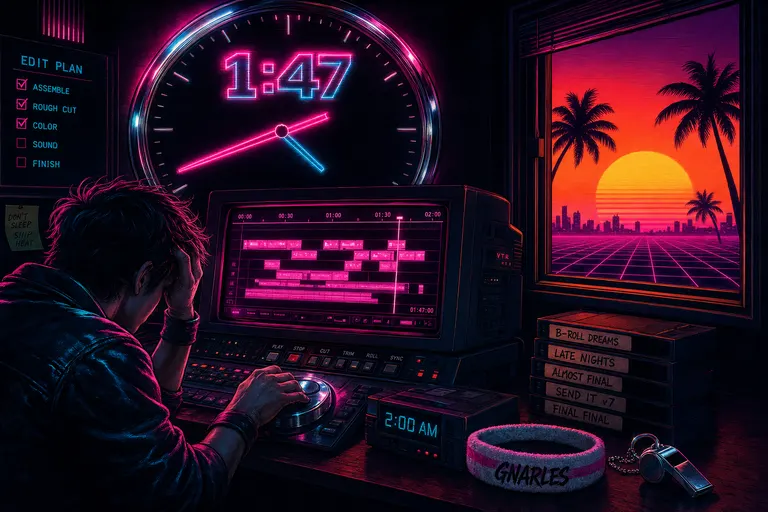
A creator slumped at a glowing magenta CRT timeline at 2am, while a chrome clockface looms behind them and a sunset palm grid pours in from the open window.
The 2am scene, before we start
Let me name what we were trying to kill.
You shot four hours of footage on a Saturday. By Sunday morning the rough idea is in your head — the cold open, the turn, the line you want to land last. By Sunday night you are still scrubbing through clip seventeen of forty-two, trying to remember whether the good take of the question was in the white-shirt sequence or the gray-shirt sequence. Your screen brightness is at one bar. Your neck is locked. The cut in your head was clear at noon. It is fog now.
This is the soggy salad of editing. Royalty-free music libraries are also soggy salads. So is the fourth render export of the night. The whole meal is wilting and you are still eating it.
Burnout's not a character flaw. It's a tool problem. The hands that learned to slide a razor tool are not the hands that should be drafting your story arc at midnight. So we started building VibeChopper one wave at a time, on the theory that if the tool got smart enough, the night could get shorter.
Five waves. Six months. Here they are.
Wave 1 — Nov 28, 2025 — A browser editor that watches and listens
The first big commit landed on a Friday in late November. Commit 4eafade carved out the stack. A few hours later, commit 7181cf1 poured in the first real editor — a full browser video editor with frame extraction, AI-described frames, a timeline, a chat panel, transcript display, properties, and export. It is the commit message that gives the wave away: "Integrate AI video editing features and improve user interface." Translation: the editor got born that night.
It was lonely. Everything ran in the browser. The audio pipeline pulled tracks out of your video on the client side. The frames went up to a server that called GPT-5-nano for descriptions and fell back to Gemini 2.5 Flash when the queue spiked. By the end of that first night, the editor knew what was in every clip, who said what, and could summarize the whole shoot for you.
That's the thing that mattered. Most editors treat your footage like a list of files. Wave 1 made the editor read your footage. Every 0.5 seconds, every frame got described in plain English. Every line of audio got transcribed with speaker labels. By the time the rough timeline showed up, the AI had already taken notes.
The first thing the editor learned to do for you was remember what you shot. That is not a small thing. The 2am scene I described in the opening? Most of it is memory work. You are not slow at editing. You are slow at remembering. You are scrubbing because you can't find the take. Wave 1 made the take findable by description, not by scrub.
It was rough. The tab could crash and lose work. The first audio jobs hung on long files. The frame queue was a single fire-hose. But the idea of the product — that the AI watches and listens before you do — was already there. From the first commit forward, every wave was about making that idea sturdier.
A lone editor in a neon-lit room with a single CRT timeline, frames floating around them like fireflies.
Wave 2 — Nov 29-30 — A timeline that behaves like a real NLE
Most "AI video editor" products stop at Wave 1. They give you a transcript, maybe a "make a clip" button, and call it done. We did not. The next forty-eight hours were the hardest stretch of the build and the one that made VibeChopper a tool a real editor could actually live inside. Start your own first cut
Commit 6ae8527 showed up Saturday afternoon with the cheerful subject line "Half way done with multi-agent timeline build." By Sunday morning, commit 74eb818 landed with the line "Supposedly all green from all 5 waves." You can feel the exhaustion in the commit messages. You can also feel the relief. Five sub-waves of work, all green.
What landed in that 48 hours, told the way a creator feels it:
- Real tracks. Stacked video, audio, captions, music. The mental model finally matched what you do with footage.
- Touch gestures. Pinch-zoom, two-finger scrub, haptic snaps. The timeline started behaving on a phone, not just on a desk.
- A mobile editor. A dedicated mobile timeline, mobile AI chat, and mobile properties panel. The phone became a first-class place to direct an edit, not a place where you go to apologize for not being at your desk.
- Context menus with submenus. Right-click any clip and get AI, Audio, Edit, Narrative, Preset, Speed, and Video actions, each with a real list of operations underneath. The menu was no longer a graveyard for "cut" and "delete" — it was a creative toolbox.
- Narrative frameworks. Three-act, Hero's Journey, problem-solution, before-after. You could ask the AI to fit your footage to a structure, not just chop it into a length.
- Keyboard shortcuts. Real ones. The kind editors actually use.
- Achievements, autosave snapshots, marketplace browsing, audio mixer with VU meters and waveforms, AI suggestions, edit modes, a recovery dialog, and an actual minimap.
The minimap is the one I want to call out, because it is small and silly and also one of the moments the editor stopped being a demo and started being a room. When you can look down at the whole shoot at once, you stop scrubbing. When you stop scrubbing, the 2am scene starts to lose its grip.
::
You can start your own first cut right now. Upload, walk away, come back. The editor reads it while you make a coffee.
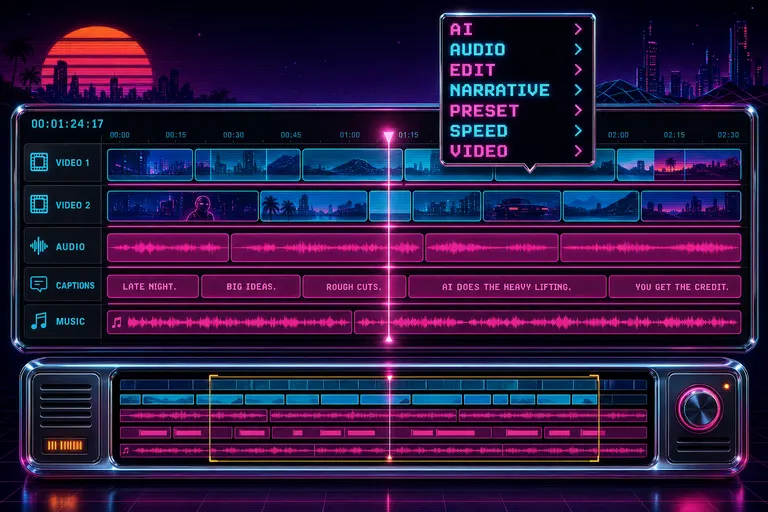
A wide synthwave timeline with five layered tracks and a chrome minimap below, cut into clip blocks of varying lengths.
Wave 3 — Dec 2-6 — Voice, feedback, and daily briefings
Wave 3 was the wave that taught the editor to talk back.
Two things landed that week, and both changed the texture of using the app.
First: voice input on the chat. The editor stopped requiring you to type to direct it. You could press a button, talk for ten seconds, and the AI would receive the same instruction it would have if you'd typed it. This sounds small. It is not. Try sitting at a keyboard at midnight after a twelve-hour shoot day. Now try sitting on the couch and saying "trim the first five seconds of clip three and add a soft fade." That is the difference between an instrument and a chore.
Second: the daily briefing. The app started telling you what changed in itself, each day. New tool? Briefing. New AI capability? Briefing. New keyboard shortcut? Briefing. The point wasn't bragging. The point was that a tool that is moving as fast as this one needs to be honest about what's new, or the creator falls behind on what their own software can do. The briefing was the editor's standing meeting with you.
Around the same time, the feedback system grew teeth. You could send a screenshot. You could send a short voice memo. You could capture an error context and ship it up with one click. The app started watching its own bruises instead of asking you to write a support ticket at 1am. Sendblue and SMS support let critical alerts hit you the way a producer's text would — not as another tab to check.
You can feel a tool's confidence in how it handles its own mistakes. Wave 3 was the wave where VibeChopper got confident enough to ask you what was wrong, listen, and fix it.
There was a smaller piece of Wave 3 that did not get a headline but mattered as much as anything else: the project memory got better. The summary the AI wrote about your shoot — the title, the description, the per-clip notes — became something you could return to a week later and trust. The editor was no longer a one-night-stand tool. It was building a body of work with you, and the next time you opened a project from three weeks ago, it remembered what the shoot had been, what the cut was trying to do, and where you had stopped. That changed the relationship. It was no longer a fresh fight every time you sat down. It was a conversation you were continuing.
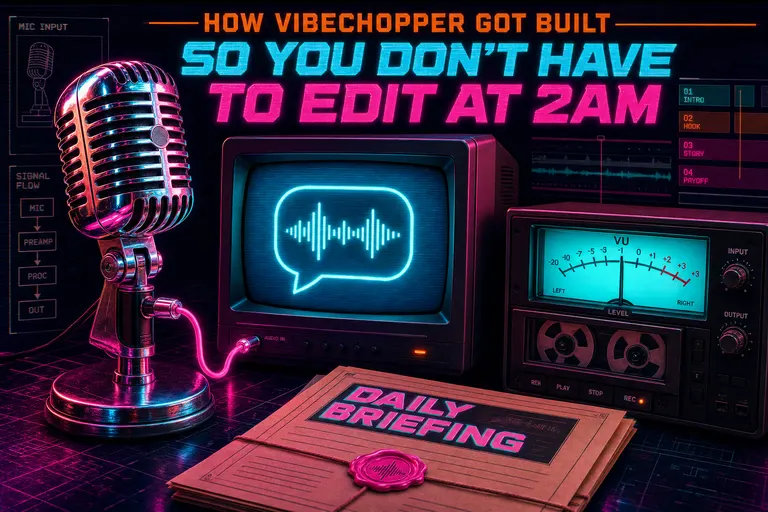
A retro chrome microphone connected by glowing cable to a CRT showing a chat bubble, with a tape-deck VU meter pulsing beside it.
Wave 4 — Nov 30 → Dec 1 — The universal app: VibeChopper everywhere you already are
While Waves 1 and 2 were turning the browser editor into a real NLE, a parallel build was happening on Apple platforms. Commit 022cbf7 landed the scaffold on Nov 29 with the line "Add universal Apple app, update gitignore for secrets, fix local dev." By Dec 1 the iOS, macOS, visionOS, and watchOS clients were running off the same backend.
The universal app is one of those things that is easy to oversell and easy to undersell. So let me be precise about what it actually means for you.
You can start a cut on your phone on the train. You can open it on your laptop at the desk and pick up exactly where you left off. You can put on a Vision Pro on the couch, see your timeline floating in your living room, and direct the AI with your voice while the cat sits on your lap. The watch shows render progress; it taps your wrist when an export finishes.
This was not free. Bearer-token auth had to work for native clients. Deep-link callbacks had to round-trip from web to native and back. Demo projects had to seed on first launch so a new Vision Pro user could see something other than a blank room. None of this is the kind of work you brag about on a feature page, but all of it is the difference between a web tool and a tool that lives in your week.
The point is that VibeChopper is not an app you go to. It is the app that is wherever you already are. If you finish a shoot in a hotel at midnight, you do not have to power up a workstation to begin the edit. You upload from your phone, the AI starts watching, and when you sit down at your laptop in the morning the room is already warmed up.
This was also the wave where we got serious about the watch. A watch is not where you edit. A watch is where the edit pings you when it's ready, when the export finishes, when the render hits a snag, when a collaborator left a comment on a clip you forgot you cut last week. The watch is the editor's hand on your shoulder while you are walking the dog. It is not a feature you brag about in a demo, but it is the kind of detail that changes what your evening looks like — because you are not staring at the laptop waiting for a render bar, you are walking around your life knowing the wrist tap will come when it's done. That is what "everywhere you already are" was supposed to mean.
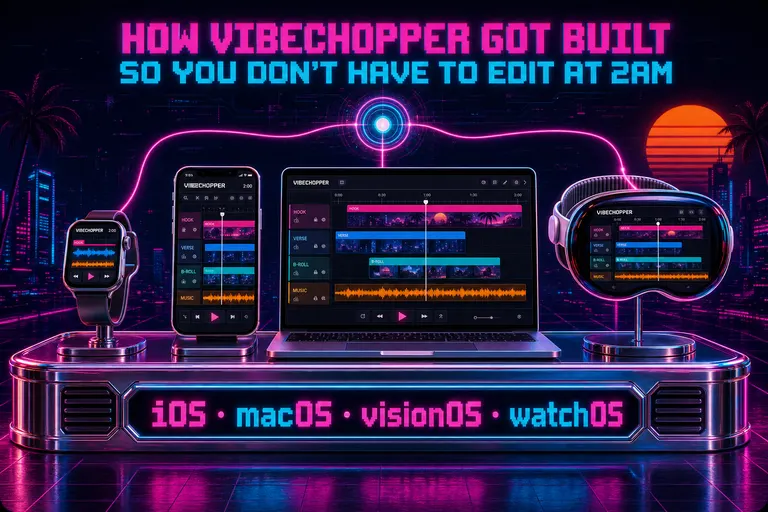
Four screens arranged in a chrome rack — phone, laptop, headset, watch — each running the same VibeChopper timeline view.
Wave 5 — May 17-18, 2026 — The harness era
After Wave 4, the repo went quiet. Not dead — just quiet. The team was doing the unglamorous work of making the existing tools sturdier. Then in May 2026, two days happened. Open the AI editor
Commit 30331fd on the night of May 17 — "Sync editor work without workflow changes" — was 7,678 lines of route changes and roughly fifty new client modules. The full provider harness landed: a runtime that orchestrates planning, AI edit runs, chat attachments, share dialogs, and a half-dozen new tool surfaces. That was Saturday night.
Then in the next day and a half, the wave kept rolling.
Commit 7eeeeaf added rubric-scored second-pass editing — a final-draft rubric that separates automated scoring from manual review and refuses to mark a cut as ready until source evidence, per-clip agents, color planning, music planning, timeline validation, render completion, and render verification are all present. In creator terms: the editor doesn't tell you "done" until it has checked its own work against a scoresheet you can read.
Commit da58e09 added Gemini Lyria music as a first-class harness artifact. The AI doesn't just suggest a stock track. It composes one for the cut, scored against the pacing it already planned, and the music plan shows up as a deliverable alongside the timeline. (Lyria is Google's music model; it generates instrumental music from prompts, and the harness wires it into the score plan.)
Commit 87b000d improved clip slip and ramp controls. Slip a clip, ramp a clip, smooth a transition — the kind of move that used to live in After Effects, now lives one gesture away on a phone.
Commit 1be5ad6 added the upload-monitor resume UI, so a hotel-wifi upload that dropped at 2:14am gets back up at 2:15am instead of starting over. Commits 8b01531 and cd0fc48 made that resume persistent across sessions and stored the telemetry, so the editor remembers which slice of which file made it across when the connection blinked.
And by the time commit 37c5aef landed two days later — "Theme platform email templates" — VibeChopper was talking to you in your inbox the same way Gnarles talks to you in the app. Same voice. Same warmth. Same coach-reporting-reps rhythm.
::
You can open the AI editor right now. Type a sentence. Watch a draft appear.
The piece I want to dwell on is the tool-call card. Every time the AI made a decision — trim this, swap that, ramp this clip — the harness logged the call, and the editor rendered it as a card with a deep-link button labeled "jump to clip." Tap it. The timeline scrolls to the exact frame. The decision is auditable, defensible, and, most importantly, yours to override. You are not handing your edit to a black box. You are watching the AI work and stepping in where you disagree.
That is what we mean when we say the AI shows its work.
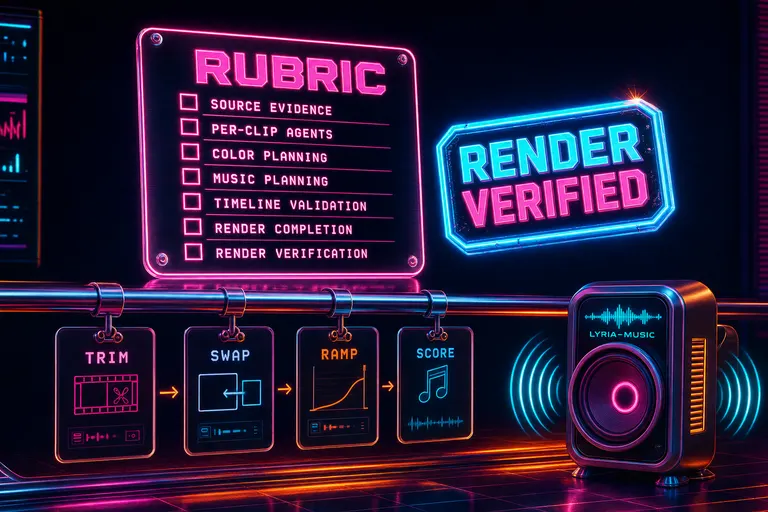
A glass scoring rubric panel floats next to a render-verified stamp, with a thread of tool-call cards pinned along a chrome rail.
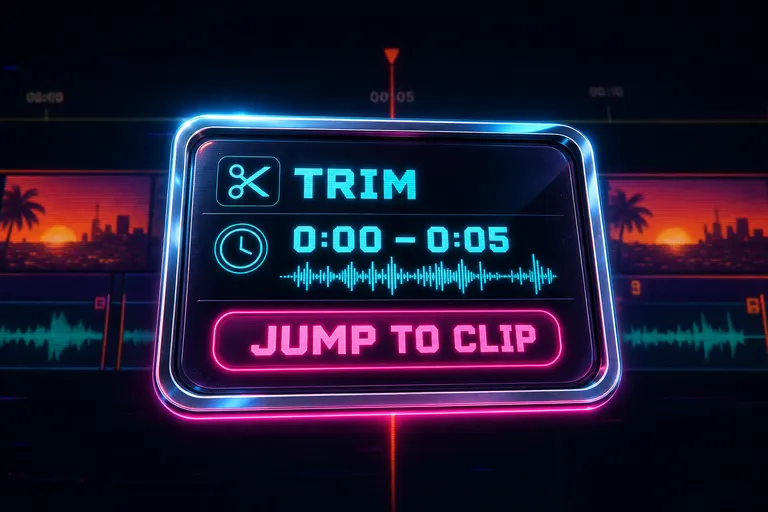
A stylized chrome-bordered card showing an AI tool-call decision: trim 0:00–0:05, with a deep-link button labeled 'jump to clip.'
The whole arc, on one gridline
Let me put it all on one line.
- Nov 28, 2025 — BORN. Browser editor, AI-described frames, transcripts, project memory.
- Nov 29-30 — TIMELINE. Real NLE behavior. Tracks, gestures, mobile, narrative frameworks, mixer, minimap.
- Dec — VOICE. Voice chat, daily briefing, feedback with screenshots and audio, SMS alerts.
- Nov 30-Dec 1 — UNIVERSAL. iOS, macOS, visionOS, watchOS, all on the same backend.
- May 17-18, 2026 — HARNESS. Rubric-scored cuts, Lyria music, tool-call cards, upload resume, owned auth.
You can read the whole repo this way: every wave is a step away from the creator editing alone at 2am. Wave 1 took the memory load off your shoulders. Wave 2 made the timeline a room. Wave 3 let you talk to it. Wave 4 put it on the couch. Wave 5 made it score its own work.
The arc, said out loud: upload, describe, talk to it, trust the draft, share it, sleep.
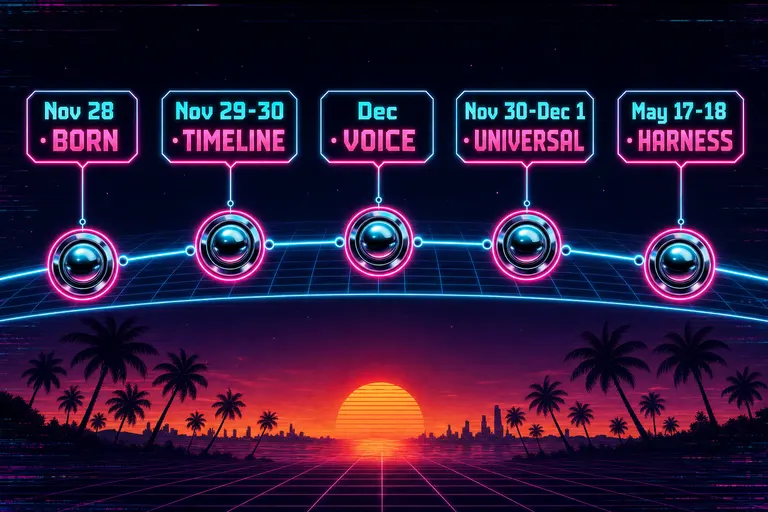
A horizontal arc diagram of five waves, each plotted on a synthwave gridline, labeled with month and one-word theme.
The new shape of a creator's night
Here is what changed about the night.
Before, your night looked like this. Eight to ten: dinner, decompress, tell yourself you'll start in a minute. Ten to twelve: ingest, organize, scrub. Twelve to two: hand-cut. Two to three: realize you missed a beat in the middle, scrub back. Three to four: export, find a rendering glitch, re-export. Four: bed. Or, more honestly, couch with the laptop still warm.
After, your night looks like this. Eight to nine: upload the shoot. The AI starts describing frames and transcribing audio while you eat. Nine: open the editor, see the project already named and summarized, glance at the rough timeline the harness already drafted. Nine to ten: talk to it. Trim the first five. Swap the b-roll on clip seven. Drop the speed ramp from one hundred to thirty across two seconds on the wide shot. Ten: review the rubric, look at the tool-call cards, override the two decisions you disagree with. Ten-thirty: pick the music plan or let Lyria score it. Eleven: ship. Bed.
Nineteen frames of hand-cutting in five hours becomes a sixty-second cut in two hours, and the two hours are the good two hours. You are doing the parts that require taste, not the parts that require staying awake.
This is the shape we wanted. We didn't pick a feature list. We picked a night, and worked backwards.
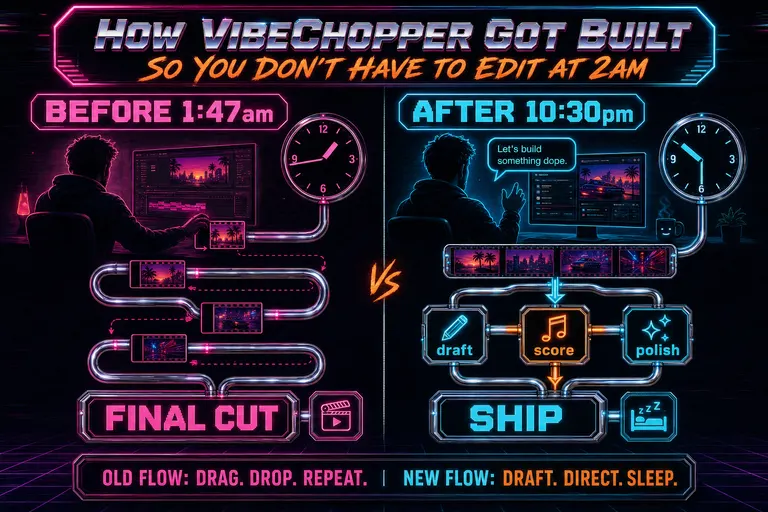
A before/after diagram contrasting an old 2am-edit workflow with a new draft-direct-sleep workflow, each as a chrome flowline.
Why I tell you all this
A lot of products show up and the first thing they want to do is sell you on a future. Coming soon. Roadmap. Sign up for the waitlist. That has never been our move. Everything in this post is already shipped. Every commit hash above resolves to real code that real users are running tonight.
I tell you the build story because you deserve to know what shape the tool actually is. You also deserve to know that it didn't fall out of a Silicon Valley brainstorm. Konstantin shipped an open-source browser video editor and tweeted about it. Steve replied to that tweet. The reply was, in spirit, what if this, but you could just talk to it. That reply was the first commit. (The longer version of that story is in the Konstantin origin post — Steve wrote it with the lights on.)
Everything since has been on the same axis: move the work the human is doing away from clicking and toward directing. Some weeks that meant tracks and gestures. Some weeks it meant a music model and a rubric. Some weeks it meant making sure your hotel-wifi upload would resume. All of it points the same way.
Burnout's not a character flaw. It's a tool problem. We are not going to take your taste. We are going to take your tedium. The taste is the part you keep. The clicking is the part we ate.
If you want the wider argument on this — why your tool is responsible for your night — go read You're Not a Bad Creator. Your Editor Is Eating Your Life. That post is the manifesto-shaped version of what this post is the build-log version of.
And if you want to know how the harness actually works under the hood — the planner, the tool-call ledger, the render-verification, the rubric — there is a developer-blog companion to this post called The Provider Harness. Same arc, told for engineers. (Slug: developer-provider-harness.)
Gnarles Chopper in his neon warmup jacket and sweatband, gesturing at a glowing CRT timeline like a coach calling a play.
What you do now
It is probably not 2am where you are, but it has been recently, and it will be again unless you change the shape of the night. Make this the last 2am edit
So here is the next rep.
Open the editor. Drop in something you shot recently. Don't watch it. Don't even pre-trim it. Just hand it over.
While the AI describes every frame and transcribes every word, go pour a glass of water. When you come back, open the chat and say one thing about what you want. "Make this a sixty-second cold open with a hook in the first five seconds." Or "Tighten the dead air and find the funny parts." Or "I shot this for the wedding, I want a one-minute teaser."
Watch the draft appear. Override the two things you disagree with. Pick the music. Ship.
Then close the laptop and go to bed.
That is what the whole six months of building was for. That night. The one where you sleep.
::
You can make this the last 2am edit tonight. Drop a shoot in before you brush your teeth. Wake up to a draft with a rubric and a score.
If this is your first post on the creator blog, the next one to read is probably Tell It What You Want. Watch It Cut. — the deeper walkthrough of the chat-driven edit flow. After that, the burnout post. After that, the Konstantin tweet that started everything.
The night is not the timeline's anymore. It is yours.
See you on the timeline.
— Gnarles
A wide sunrise over a synthwave horizon with palm silhouettes and a small editing console powered down on the foreground sand.
Try the workflow
Open every feature from this post in the editor
These panels collect the features discussed above. Sign in once, finish your profile if needed, then the editor opens the first highlighted surface and walks through the tutorial.
Step 1
Start your own first cut
Drop in a shoot. Let the AI describe every frame before you watch a single second.
Start your own first cut →Step 2
Open the AI editor
Tell it what you want. Watch the timeline rearrange itself, then direct from there.
Open the AI editor →Step 3
Make this the last 2am edit
Hand the rough cut to the harness. Wake up to a draft, a score, and notes on every decision.
Make this the last 2am edit →